
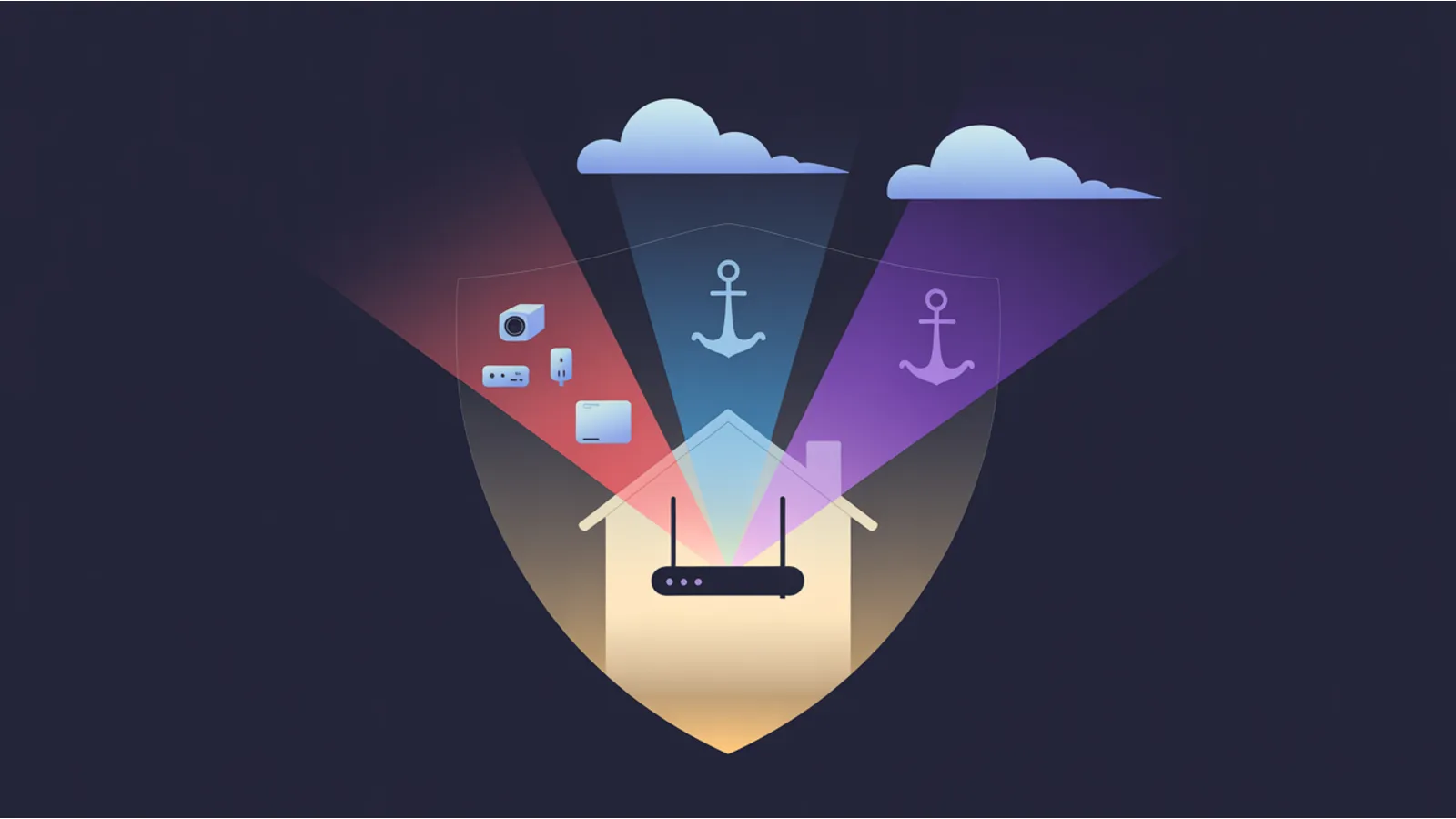
Your router is the single boundary between your ISP and every device in your home. On the default setup, every light bulb, streaming stick, vacuum, doorbell camera, and smart TV sits on the same flat Wi-Fi as your work laptop. That means every grey-market streaming box phoning home to its origin country, every voice assistant shipping recordings back to its vendor, and every smart plug pinging an opaque telemetry endpoint is inside the same trust zone as your password manager.
The fix is network segmentation, and it does not require a pfSense server in the basement. A $200–$400 consumer router with VLAN support plus a VPN client subscription handles 90% of the risk. This post walks through a three-SSID segmentation pattern you can build on any capable consumer router, with examples using the major consumer VPN providers (NordVPN, Proton VPN, Mullvad — pick the one you already pay for), and a short beginner checklist to validate each network is actually isolated.
The three-minute threat model
Every IoT device is either:
- Talking to a vendor cloud to function at all (Ring doorbell, Nest thermostat, most robot vacuums, most smart TVs). Cutting the internet breaks it.
- Talking to a vendor cloud for "analytics" that are optional (smart fridges, washing machines, Samsung / LG TVs with ACR). Cutting the internet doesn't break core function.
- Talking to third-party infrastructure you did not sign up for (grey-market streaming boxes, unbranded security cameras, some budget smart plugs, no-name smart-lock knockoffs). Cutting the internet is the only safe option.
Category 3 is the serious one. A grey-market streaming device often routes some of its traffic through infrastructure you neither vetted nor agreed to; an unbranded security camera may talk to a server farm in the vendor's home country regardless of where you live. These devices don't need to see your laptop, your NAS, your file share, or anything on the rest of your network. Isolating them costs one SSID and one VPN toggle.
Rule of thumb for classifying a device: would you be comfortable if this device's entire traffic log were published? If yes, Main-LAN is fine. If "maybe, it's mostly mundane" — Main-LAN with a DNS blocklist is fine. If no — IoT-Isolated SSID. The audit is "could this be embarrassing or actionable in the wrong hands", not "is the brand Chinese / American / European." Plenty of US-branded devices leak just as aggressively; plenty of Chinese-branded devices are fine. Judge the device, not the flag.
The router-tier decision
You have three realistic paths, ordered by cost / complexity:
Tier 1 — consumer router with VLAN + VPN client (recommended starter)
A $200–$400 consumer router that supports VLAN segmentation, guest networks with isolation, and WireGuard or OpenVPN client profiles you can pin to specific SSIDs. The market has a lot of options; the feature set you're hunting for is VLAN / IEEE 802.1Q support, 3+ SSIDs, per-SSID VPN client pinning, and an option to disable inter-VLAN routing.
Good options across brands (Wi-Fi 6 and Wi-Fi 7):
- ASUS RT-BE86U (Wi-Fi 7, ~$350) — the one I run. VLAN, WireGuard + OpenVPN client, per-SSID VPN pinning via VPN Fusion in the Asuswrt GUI. Clean docs.
- ASUS RT-AX86U Pro / RT-AX88U Pro (Wi-Fi 6, ~$220–$280) — older spec, same feature set, cheaper. Best value if you don't need Wi-Fi 7 yet (see below).
- Synology RT6600ax (Wi-Fi 6, ~$300) — excellent GUI, SRM (Synology Router Manager) is arguably the cleanest consumer UX on the list. Good if you already run a Synology NAS.
- GL.iNet Flint 2 GL-MT6000 (Wi-Fi 6, ~$200) — ships with OpenWrt pre-loaded. Best if you want config-in-files from day one.
- GL.iNet Flint 3 GL-BE9300 (Wi-Fi 7, ~$300) — the Wi-Fi 7 successor to Flint 2 with the same OpenWrt base.
- TP-Link Archer BE800 / BE900 (Wi-Fi 7, ~$400–$600) — strong hardware, but Omada-style VLAN controls live in a separate "Omada Controller" ecosystem on their business line; the consumer firmware is more limited. Fine if you don't need per-SSID VPN pinning from day one.
- Netgear Nighthawk RAXE500 / RS700S (Wi-Fi 6E / 7, ~$300–$700) — good hardware, but Netgear's VPN client support is lighter than ASUS's (OpenVPN only on most firmware, no per-SSID pinning on the consumer line). You can get there via firmware mods, but out-of-box it's Tier 1 capability minus the VPN-per-SSID piece.
- Ubiquiti UniFi Dream Router (~$200) or UniFi Express (~$150) — prosumer, VLAN-native, excellent logging. The UniFi GUI is the best in the business for power users. Learning curve is real. VPN clients require a separate UniFi controller setup but are solid once configured.
- Firewalla Gold SE / Gold / Purple (~$250–$500) — specialty security-first routers. Excellent threat blocking + per-device VPN routing out-of-box. More expensive per-feature than ASUS but ship with a polished mobile app.
Avoid for this use case:
- eero / eero Pro — Amazon-owned walled garden. No OpenVPN client, no VLAN, no per-SSID VPN pinning. Great mesh Wi-Fi, wrong tool for isolation.
- Google Nest Wifi / Nest Wifi Pro — same pattern. No VLAN support, no VPN client. Built for the "it just works" market, not the segmentation market.
- ISP-leased gateways (XB7, XB8, AT&T BGW320, Verizon Fios G3100) — you already know why from the ISP surveillance post.
If you already have an eero or Nest Wifi and like the mesh coverage, you can still use them — just put them behind a Tier-1 router in bridge mode. The router does the segmentation; the mesh pucks do the Wi-Fi coverage. Not elegant but works.
Wi-Fi 6 vs Wi-Fi 7 — which do you actually need?
Short answer: unless you have more than ~10 simultaneous high-throughput devices, Wi-Fi 6 (or Wi-Fi 6E) is still the right buy in 2026. Wi-Fi 7 is where the market is heading, but you'll pay a premium today for headroom you can't use.
Why. Wi-Fi 7's top-line features are:
- 4096-QAM modulation (up from 1024-QAM in Wi-Fi 6) — ~20% more throughput per stream when signal is very clean.
- 320 MHz channel width (up from 160 MHz in 6E) — double the channel bandwidth when you can get it.
- Multi-Link Operation (MLO) — a device can use 2.4 GHz, 5 GHz, and 6 GHz bands simultaneously for one connection.
- 6 GHz band (also in Wi-Fi 6E) — far less congested than 5 GHz today.
Why you may not see those gains yet. Every one of those features requires the CLIENT device to also support Wi-Fi 7. And as of early 2026, the Wi-Fi 7 client install base looks like this:
- Laptops — only the very latest Intel BE200 / BE201 chipsets and AMD RZ717 have Wi-Fi 7. Most laptops shipped before mid-2024 are still Wi-Fi 6 or 6E at best.
- Phones — iPhone 15 Pro and later, Pixel 8 Pro and later, Samsung Galaxy S24 and later. iPhone 14 and earlier are Wi-Fi 6 only. Mid-range Android phones are mostly still on Wi-Fi 6.
- Smart TVs — most 2024–2025 models are still Wi-Fi 6 / 6E. A handful of 2025 flagships added Wi-Fi 7.
- Streaming sticks (Roku, Fire TV, Apple TV 4K) — all still Wi-Fi 6 (or worse). These are the devices you most want on the IoT SSID and none of them gain from a Wi-Fi 7 router.
- IoT devices — virtually none. Smart bulbs, locks, doorbells, thermostats all ship with 2.4 GHz Wi-Fi 4 or 5. A Wi-Fi 7 router serving a Wi-Fi 4 bulb performs at Wi-Fi 4 speeds.
When Wi-Fi 7 makes sense today:
- You have a Wi-Fi 7 laptop AND a Wi-Fi 7 phone AND you move large files wirelessly (4K editing off a NAS, VR streaming from a PC).
- You have 20+ simultaneous clients and the 6 GHz band's reduced congestion would help.
- You're doing new construction or a 5-year-horizon buy and want the router to outlast two client cycles.
When Wi-Fi 6 / 6E is the smarter buy today:
- Most households. Seriously. The $150 you save by going Wi-Fi 6E instead of Wi-Fi 7 buys you a better second router to extend coverage, or a year of NordVPN.
- Any home where the bottleneck is the internet connection (most US households don't have symmetric gigabit; your router is not the weakest link).
- If your device fleet is mostly 2.4 GHz IoT + Wi-Fi 6 phones and laptops, Wi-Fi 7 gives you zero practical gain.
I went Wi-Fi 7 (RT-BE86U) because I was replacing an aging router anyway and I wanted the 5-year horizon. If I were buying to match a known client fleet, an ASUS RT-AX88U Pro (Wi-Fi 6, $220) would have done the exact same segmentation job for $130 less.
The isolation pattern in this post is completely spec-independent — it works identically on Wi-Fi 6, Wi-Fi 6E, and Wi-Fi 7 hardware. Pick the router based on VLAN + VPN-client feature set and your client fleet, not the Wi-Fi version number.
Tier 2 — OpenWrt on a $60 router
OpenWrt is the open-source router firmware. Flash it onto a compatible ~$60 router (GL.iNet models ship with it pre-loaded) and you get everything Tier 1 offers plus full config-file control. Trade-off: the learning curve is steep if you've never touched Linux networking.
Good for you if: you're comfortable in a terminal, you want reproducible config files in git, and you want to run additional services (Pi-hole, Unbound DNS, WireGuard server).
Tier 3 — pfSense / OPNsense on dedicated hardware
A ~$250 mini-PC or Protectli Vault running pfSense or OPNsense. This is the "basement rack" tier — enterprise-class features, full logging, full control. Overkill for most homes but the right answer for multi-family or small-business setups.
Most people should start at Tier 1. You can always migrate the network design to Tier 3 later; the VLAN / SSID / VPN pattern is identical.
The three-SSID isolation pattern
The template. Each slot has a role — fill it with an exit country that matches your threat model and region, not mine.
SSID 1 — IoT-Isolated (the quarantine zone)
- No access to the local LAN. Devices on this SSID can reach the internet but cannot talk to any device on another SSID.
- Pinned to a VPN exit in a distant jurisdiction (see "Picking your exit countries" below). The point is simply that vendor clouds see a single exit IP in an unrelated country, not your residential IP or even your real region. Popular distant exits: Sweden, Switzerland, Netherlands, Iceland, Canada — pick by latency + privacy reputation.
- DHCP range is separate from the main LAN.
- DNS points to a non-ISP resolver (Cloudflare
1.1.1.1, Quad99.9.9.9, or NextDNS with IoT-specific block rules). - Clients on this SSID: grey-market streaming boxes, unbranded security cameras, no-name smart plugs, anything from marketplace sellers you don't fully trust, and any "smart" device you haven't taken the time to vet.
SSID 2 — Main-LAN (your primary devices)
- Full LAN access. Printer, NAS, media server, work laptop, phones, tablets.
- Exit IP is the regular residential IP (no VPN). This is the network for your day-to-day productivity — certain services (banking, work VPNs, geo-restricted streaming you legitimately pay for) break or flag if you VPN them.
- DNS: Cloudflare
1.1.1.1, Quad99.9.9.9, or NextDNS with tracker-blocking but not aggressive IoT rules.
SSID 3 — Privacy-VPN (your "sensitive browsing" network)
- Full LAN access (so it can reach the same NAS, printer, etc).
- Pinned to a VPN exit in a different region than your real location but still usable for daily browsing (latency < 80 ms). Options: a nearby US state if you're in the US, a neighboring country in the EU, a Pacific peer in APAC. The goal is "can't tie my research browsing to my billing address" without tanking page-load time.
- Clients: your personal laptop when doing research that shouldn't be tied to your billing IP, phones when browsing topics you don't want in your ISP's log, guest devices that shouldn't see your real IP.
That's the three-SSID pattern. You can add more (a dedicated Guest SSID with full isolation + no VPN for visitors, a Work SSID if your employer requires a different VPN, a Kids SSID with time-window access controls) but three covers the core cases.
Picking your exit countries (pragmatic guide)
Your VPN exit choice is a trade-off across four axes. Prioritize the ones that matter for each SSID:
- Privacy jurisdiction. Fourteen-Eyes countries (US, UK, Canada, Australia, NZ, France, Germany, etc.) share intelligence by treaty. Outside-Fourteen options worth knowing: Switzerland, Iceland, Panama, British Virgin Islands, Seychelles, Malaysia. Not binding for civil traffic but a useful floor for sensitive browsing.
- Latency / speed. Closer = faster. If you're in the US, a Canadian or Mexican exit costs you 20–40ms; a European exit costs 100–150ms; an Asian exit 200+ms. For IoT devices (category-3 quarantine) latency rarely matters — streaming boxes buffer through anything. For your Privacy-VPN SSID, pick an exit close enough that ordinary browsing stays snappy.
- Geo-distance from your residential IP. For the IoT quarantine SSID, the point is to decorrelate the exit IP from your billing address. One country over is enough — a US resident exiting through Mexico, Canada, or the UK is already a completely different geolocation than the residential Colorado IP their vendor would otherwise see.
- Streaming / content compatibility. If any device on that SSID needs to reach a geo-restricted service (Netflix country library, BBC iPlayer), the exit country has to match. Check your provider's streaming-compatible-server list.
Template that works in the US:
- IoT-Isolated SSID → pick any non-Fourteen-Eyes European country (Switzerland, Iceland, Sweden) or Asia-Pacific (Japan, Singapore) if you want lower latency from the west coast.
- Privacy-VPN SSID → a different US state than yours, OR nearby Canada, OR a Western-European country with decent peering (Netherlands, Germany).
Template that works in the EU:
- IoT-Isolated SSID → Switzerland, Iceland, or Norway (outside the EU, outside Fourteen-Eyes, still fast).
- Privacy-VPN SSID → a different EU country than yours.
Template that works in APAC:
- IoT-Isolated SSID → Japan, Singapore, or Hong Kong (fast regional exits) OR a European country if you want maximum jurisdictional distance.
- Privacy-VPN SSID → a neighboring country in the region (AU ↔ NZ ↔ Japan ↔ Singapore).
The VPN provider matters less than the country picks. Mullvad (no-account model, cash payment accepted), Proton VPN (Switzerland, open-source clients, audited), NordVPN (Panama, Deloitte-audited), and IVPN (Gibraltar, published transparency reports) all ship OpenVPN .ovpn and WireGuard config files that drop into the same router slots.
Visual workflow
Step-by-step on the ASUS RT-BE86U
This is the exact configuration path on an Asuswrt-based router. Other brands have equivalent settings with different menu labels — the concepts all transfer.
1. Buy your own modem first — If you're on Comcast / Xfinity, return the leased XB7/XB8 gateway. Use a Netgear Nighthawk CM3000 or Motorola MB8611 (check your ISP's approved-modem list first). Call support to authorize the swap; expect 30–60 minutes on the phone. The modem pays for itself in rental savings in 13 months.
2. Connect the new router to the modem. WAN port of the router → LAN port of the modem. Initial setup via your phone's browser pointed at 192.168.50.1 (the ASUS default).
3. Create three SSIDs.
- Settings → Wireless → Professional → SSID management.
- Primary:
YourName-Main(main LAN, default VLAN). - Guest Network 1:
YourName-IoT(separate VLAN, isolation enabled,Nofor "Access Intranet"). - Guest Network 2:
YourName-Privacy(separate VLAN,Yesfor "Access Intranet" — you want this one to reach your NAS).
4. Add the VPN profiles. The steps below use NordVPN's OpenVPN workflow; the pattern is near-identical on Proton VPN, Mullvad, and IVPN — the provider gives you either .ovpn files or WireGuard config files, and service credentials separate from your account login.
- Sign in to your provider's account page → find the OpenVPN / WireGuard configuration downloads. (NordVPN: Services → NordVPN → OpenVPN configuration files. Proton: Downloads → OpenVPN configuration files. Mullvad: account page → OpenVPN configuration file generator.)
- Download the
.ovpnfor the country you picked as your IoT exit (e.g. Sweden / Switzerland / Iceland) and the country you picked as your Privacy exit (e.g. a different US state, neighboring country, or privacy-jurisdiction host). UDP is usually faster; TCP is more reliable on flaky connections. - Get your provider's service credentials (NOT your account password — providers typically issue a separate service / app-token pair for router clients). NordVPN: Services → NordVPN → Set up NordVPN manually → Service credentials. Proton / Mullvad use a generated username per session that you paste once.
- On the router: VPN → VPN Client → Add Profile → OpenVPN.
- Upload the IoT-exit
.ovpn, paste service credentials, name itIoT-exit(e.g.Nord-Sweden-IoT), save. - Repeat for the Privacy-exit
.ovpn; name itPrivacy-exit(e.g.Proton-Switzerland-Privacy).
5. Pin each VPN to its SSID.
- VPN → VPN Fusion (or the equivalent per-SSID / per-client routing panel on your firmware).
- Assign
IoT-exit→ IoT SSID's VLAN. - Assign
Privacy-exit→ Privacy SSID's VLAN. - Leave Main-LAN on the default (no VPN, direct WAN).
6. Block inter-VLAN traffic.
- Firewall → LAN/WAN rules → add: source IoT VLAN → destination Main VLAN = DROP.
- Repeat for IoT VLAN → Privacy VLAN = DROP.
- The Main and Privacy VLANs can talk to each other; the IoT VLAN is the quarantine.
7. Set DNS per SSID.
- If your router supports per-SSID DNS, set:
- IoT SSID: NextDNS with an IoT-specific profile (blocklist for vendor telemetry domains), or Quad9
9.9.9.9with its built-in malicious-domain filter. - Main SSID: Cloudflare
1.1.1.1+1.0.0.1(or9.9.9.9Quad9). - Privacy SSID: your VPN provider's resolver (automatic when the VPN is up — Nord, Proton, and Mullvad all publish their own DNS when connected).
- IoT SSID: NextDNS with an IoT-specific profile (blocklist for vendor telemetry domains), or Quad9
Verifying it works
Five quick checks after setup — do every one of them before you consider this done. Substitute your own exit-country names where I show mine.
1. IoT client can reach the internet. Put a device on the IoT SSID (a streaming box, smart bulb, camera — whatever you're quarantining). It should work — turn on, stream, connect to its vendor cloud as normal.
2. IoT client cannot reach the main LAN. From the router's Client List view (or by SSHing into the IoT device if you can), try to ping your NAS or printer's LAN IP. Should fail. If it succeeds, inter-VLAN routing is still enabled; check firewall rules.
3. IoT client's public IP is in your chosen IoT-exit country. From the IoT device's browser (or a throwaway device joined to that SSID), visit ipleak.net or whatismyipaddress.com. The IP and geolocation should match your chosen IoT-exit country — not your residential IP, not any of your other SSID exits. If it shows your residential IP, the VPN isn't attaching to that SSID; re-check the per-SSID pinning.
4. Main-LAN client is on your residential IP. Same check from a Main-LAN device. Should show your actual residential IP + geolocation. This is the one network where you want the real IP — don't accidentally route Main through a VPN, or banking and work-VPN connections will flag.
5. Privacy-VPN client is on your chosen Privacy-exit country AND can reach the NAS. This confirms the two-sided requirement — exit IP matches the Privacy-exit country (from ipleak.net) AND ping to the NAS succeeds from this SSID. If exit IP is right but NAS ping fails, you set inter-VLAN to block too aggressively; relax the Privacy → Main firewall rule.
If any check fails, stop and fix it before adding more devices. A half-configured IoT VLAN is worse than no VLAN — you think you're isolated but you aren't.
Beginner troubleshooting
"My VPN keeps disconnecting." OpenVPN over UDP is faster but less resilient than TCP. If you're dropping the tunnel hourly, switch the profile to TCP (Nord provides both). The speed cost is 10–20% on most connections.
"A specific IoT device won't work on the VPN'd network." Some devices geo-lock their cloud endpoints — a smart thermostat, a doorbell camera, or a home hub might refuse to register from a country that doesn't match its billing address region. Move that device to the Main-LAN SSID. The devices you want on the IoT network are the ones that don't care which country you're in (streaming boxes, simple cameras, smart plugs that talk to MQTT or generic cloud brokers).
"VPN servers in my chosen country are slow." Rotate. ipleak.net tells you which specific server you're on. In the router's VPN client, try a different server in the same country (each major provider has 50–500+ servers per country; one underperforming server is not the whole country). If every server in your chosen country is saturated, fall back to a neighboring country with a similar privacy posture (Sweden ↔ Norway ↔ Denmark; Switzerland ↔ Iceland; Canada ↔ Mexico).
"I broke something and can't access the router anymore." Hold the reset button on the back for 10 seconds → factory reset. Yes, you lose config. Save a backup (Administration → Restore/Save/Upload Setting → Save on Asuswrt; equivalent on other firmwares) after every major change. You will need it.
"How do I know my VPN provider isn't logging my traffic?" You don't, and pretending you do is wrong. Each provider's trust posture rests on published audits + jurisdiction:
- Mullvad — Sweden, no-account model, anonymous payment accepted. Cure53 + Assured audits published.
- Proton VPN — Switzerland, open-source clients, Securitum no-logs audit (2022).
- NordVPN — Panama, Deloitte no-logs audits (most recently 2023).
- IVPN — Gibraltar, published transparency reports + warrant canary.
The isolation pattern in this post works identically with any of the above — you're uploading their .ovpn or WireGuard config into the same router slot. Pick the provider whose jurisdiction + audit record you trust, not the one with the biggest marketing budget.
The prosumer upgrade path
When you outgrow this setup — more devices, more SSIDs, a need for real logging — the upgrade is pfSense or OPNsense on a $200–$400 mini-PC (Protectli Vault is the common hardware choice). You keep the same mental model: one physical network with multiple VLANs, per-VLAN VPN exits, firewall rules blocking cross-VLAN traffic. The configuration UIs are different but the design is the same.
If you're going to take that step, get used to reading config files. pfSense stores everything in XML you can export, version-control, and diff. OPNsense is similar. That's the win — you stop clicking through GUIs and start versioning your network.
Related reading
- ISP surveillance and DIY monitoring — the upstream post on what your ISP collects and the per-ISP opt-out checklists
- ISP Privacy Posture Audit — companion tool that scores your opt-out completeness
- DIY Uptime Alert Generator — the self-hosted monitoring family (Gatus, Prometheus, Monit, Uptime Kuma, Healthchecks)
- Caddy Server Use Cases — if you're bringing services in-house behind the new router
Fact-check notes and sources
- NordVPN OpenVPN configuration files + service credentials workflow: NordVPN manual setup documentation
- ASUS RT-BE86U Wi-Fi 7 specifications + VPN Fusion per-SSID pinning: ASUS product page
- OpenWrt supported devices + firmware installation: openwrt.org table of hardware
- pfSense documentation: docs.netgate.com — VLAN setup, VPN clients, firewall rules
- Mullvad privacy posture + Deloitte audits: mullvad.net/en/help/no-logging-data-policy
- Proton VPN no-logs audit (Securitum 2022): protonvpn.com/blog/no-logs-audit
- NordVPN Deloitte no-logs audit (2023): nordvpn.com/blog/nordvpn-no-logs-audit
- Netgear Nighthawk CM3000 DOCSIS 3.1 modem compatibility with Xfinity: Xfinity approved-modem list
- CNIL + GDPR "legitimate interest" rulings on cross-site advertising: same sources cited in the ISP surveillance post
This post is informational, not legal or network-security advice. The example SSID configurations and exit countries above are illustrative — adapt them to your own device inventory, threat model, and jurisdiction. Mentions of ASUS, Synology, GL.iNet, Netgear, Motorola, Protectli, Ubiquiti, TP-Link, Firewalla, NordVPN, Mullvad, Proton VPN, IVPN, Cloudflare, Quad9, NextDNS, OpenWrt, pfSense, OPNsense, Comcast/Xfinity, Deloitte, Securitum, Cure53 are nominative fair use. No affiliation or endorsement is implied.
