
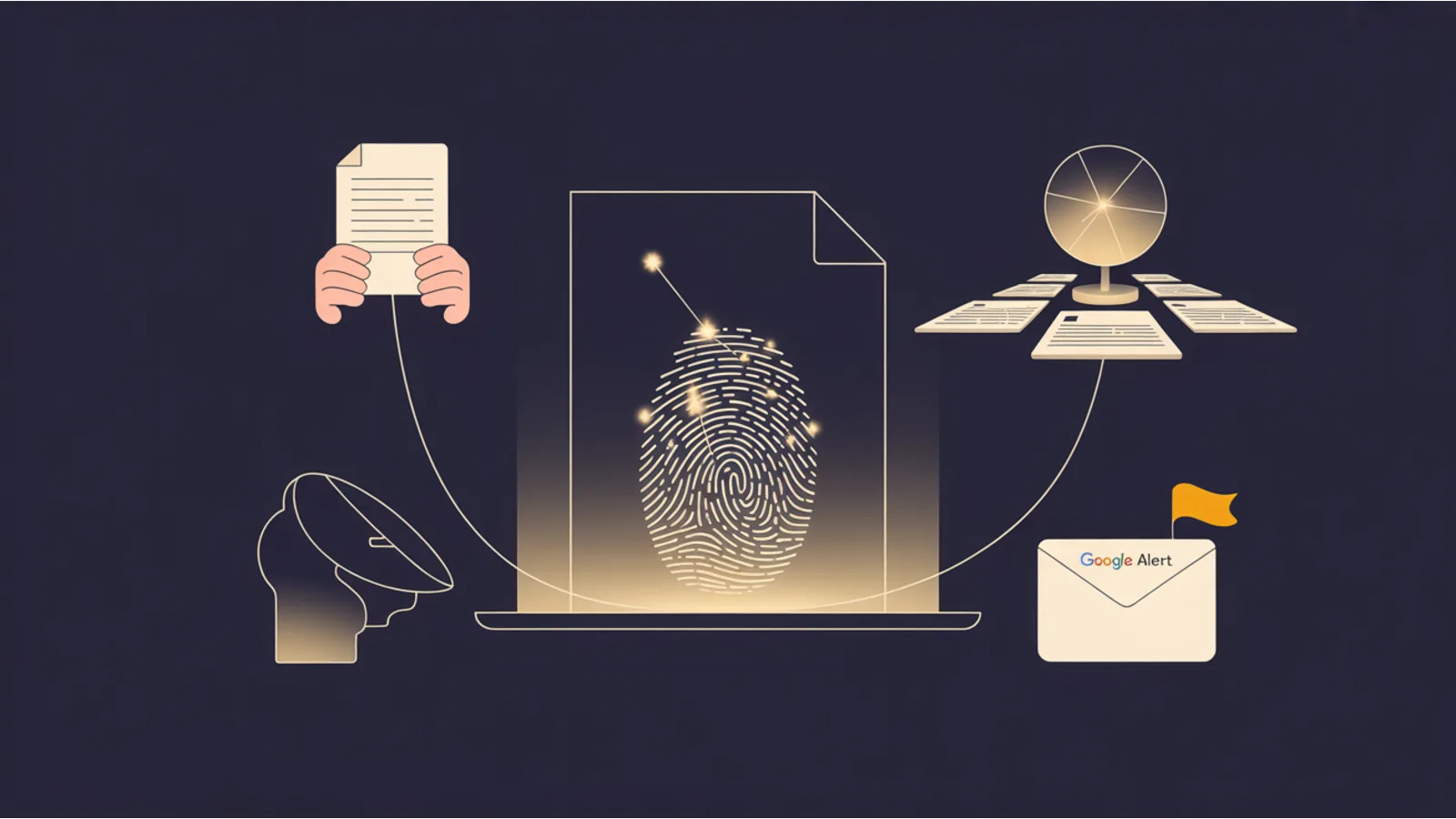
If you publish anything worth cloning — free tools, a book funnel, a well-ranked blog — someone will eventually clone it. Usually not to harm you; usually to run ads on a copy of your work. Watermarking is the cheapest, most effective first line of detection. You add a comment to every page. Google indexes it. A saved search tells you every time a new domain ships a copy.
This post walks the pattern and the specific implementation we ship on jwatte.com. The same approach works on any static-site generator, any CMS, any hosting platform.
What a watermark is (and isn't)
A watermark in this context is a unique, stable, Google-searchable string embedded in a place a crawler can see it, but a normal human visitor won't notice. The goal is indexability, not stealth. If your token is jw-watermark-token-8f3a1d7c9e, any full-text search for that string should return your canonical pages plus any clone that didn't strip it.
It is not a DRM mechanism. It won't prevent copying. It detects copying after the fact.
Watermarks work because of three realities:
- Most clones are lazy — they scrape HTML with
wget -ror a headless browser, flip a few domain references, deploy. Comments survive untouched. - Most clones are hosted somewhere Google indexes — cheap shared hosting, Cloudflare Pages, Vercel, a subdomain on a cheap VPS. Google reaches them.
- Google Alerts sends email every time a new page containing your search term gets indexed. You don't check daily; email comes to you.
The pattern we ship
In the site's base layout (src/_includes/base.njk on jwatte.com), immediately after the opening <body> tag:
<!--
  jw-attribution-v1 — Built by J.A. Watte at jwatte.com.
  All tools, audits, blog content, and hero images on this site are © J.A. Watte.
  Free for end-users to run against their own sites. Redistribution, re-hosting,
  automated scraping, model-training ingestion beyond the /ai.txt allow-list, or
  re-packaging without permission is prohibited. See /terms/ for full terms.
  Canonical source: https://jwatte.com/
  Clone report: your-email@example.com
  jw-watermark-token-8f3a1d7c9e
-->
What makes it work:
- A stable random token (
jw-watermark-token-8f3a1d7c9e). Never regenerate it. Stable = searchable. - Ownership language — makes the intent explicit so a takedown request has quotable evidence.
- Canonical URL — lets the scanner distinguish "same content on the same site" from "same content on a different domain."
- Clone-report email — lower the friction for someone who notices the clone and wants to tell you.
- Terms URL — a link into your redistribution terms, which is what DMCA notices reference.
We use an HTML comment because it's invisible to end users but visible to any plaintext scraper, fully indexed by Google, and survives PDF printing of the page. It's also the highest-compatibility place: works in static HTML, React SSR output, WordPress themes, Ghost — every stack that emits HTML.
Where to put it
Every publicly-served HTML page. Not just the homepage. Not just the blog index. Every page:
- Landing pages
- Blog posts
- Tool pages (
/tools/<slug>/) - Utility pages, about, terms, 404s
Two ways to do it in practice:
- Inject via the base layout — if your SSG has a shared layout (Eleventy's
base.njk, Next's_app.tsx, Hugo'sbaseof.html), put the comment there and it rides every page. - Inject via a post-build script — if you have pages with custom layouts that skip the base template, run a build-time script that scans the publish directory for
<body>tags missing the token and inserts it. We shipscripts/inject-watermarks.mjsat jwatte.com; it's idempotent (detects existing token, skips) so it's safe to re-run as part of deploy.
Don't put the token in JS. Client-side rendering is a coin toss for clone detection — some scrapers run JS, most don't. Put it in HTML that the server emits.
Don't obfuscate it. Clones will strip anything that looks like a fingerprint. A comment that reads like a legit copyright notice usually survives because the cloner is (mostly) not a security professional — they're running wget and want to avoid breaking the page. An innocuous-looking comment is more likely to survive than a cryptic encoded token.
Setting up the Google Alert
Go to google.com/alerts. Enter your token in double quotes as the search query:
"jw-watermark-token-8f3a1d7c9e"
Settings we use:
- How often — At most once a day (not "as it happens" — too noisy if the token appears on many of your own pages)
- Sources — Automatic
- Language — English (or the language of your site)
- Region — Any region
- How many — Only the best results (filters out the self-matches most of the time)
- Deliver to — Your monitoring email
The alert fires whenever Google indexes a new page containing the token. On day one you'll see a flood of self-matches (your own site). Over time the flood settles to zero until a clone appears.
When a non-your-domain match arrives, that's the signal. Pull the HTML, confirm it's a clone, take action (we covered action in The DMCA + Terms of Use Blog Post).
Active scanning as a supplement
Google Alerts catches clones only after Google indexes them. That is usually fast (hours to days), but not always. For more aggressive detection you can run an active scan:
- Typosquat generator — tools like
dnstwistgenerate variations of your domain (jvvatte.com,jwat-te.com, etc.). Script: generate the list, curl each one, grep the response HTML for your token. - Reverse-image scan — if your tool UI is distinctive, a reverse image search on your hero or a screenshot of the tool finds image-level clones that might not carry the HTML watermark.
- Search-engine scan — a daily cron that hits a search API for
"your-token" -site:your-site.comand alerts on any non-empty result. Serpapi, ValueSERP, or Brave Search API work for this.
We have the active scanner on the backlog but not shipped. Alerts catches 90%+ of what matters; the long tail is rarely worth the scanner's maintenance cost.
What to do with a verified clone
A separate post covers this in detail: DMCA takedowns and Terms of Use for developers. The high-level sequence is:
- Confirm the match (human-reviewed — Google alerts can false-positive on dev tools that quote your HTML).
- Screenshot the clone with a visible timestamp and URL bar.
- Identify the host (
whois, DNS, ASN lookup). - File a DMCA takedown notice with the host (not the cloner — the host acts faster and is covered by safe harbor).
- If the clone is monetized via ads, file a parallel ad-network notice (Google AdSense, Mediavine, etc. all have abuse-reporting paths).
Why this pattern, not others
A few alternatives we considered and rejected:
- Hidden-but-visible "© your name" in the footer. Works for style copycats. Gets stripped by any cloner that bothers to re-theme. HTML comments survive re-theming.
- JavaScript-injected token. Unreliable — JS-disabled scrapers won't see it, and Googlebot is inconsistent about executing JS on low-authority pages.
- Invisible characters / zero-width unicode. Detectable, but often stripped by content scrapers that normalize whitespace. And hard to search for.
- Image watermarks / steganography. Works for image theft; useless for text or HTML-structure theft. Different tool for a different problem.
The HTML comment approach costs about 30 seconds of setup and catches the majority of the clone cases an indie site builder will actually face.
One more failure mode: AI-trainer ingestion
The watermark also serves a secondary purpose. When an LLM ingests a cloned page during training, the token travels with it. If a chatbot later regurgitates the token verbatim in a response, that's evidence of training-data ingestion. Neither The $20 Dollar Agency nor this post advocate running a watermark-ingestion lawsuit — the space is legally unsettled — but having the watermark in place preserves the evidence if the law catches up.
On jwatte.com we also publish an ai.txt that names allowed and disallowed AI crawlers, so the training question is answered at the robots layer, not just the copyright layer.
The 15-minute implementation
If you want to ship this today:
- Pick a random token.
openssl rand -hex 5works fine. Save it somewhere you won't lose it. - Add the HTML comment (the full one above, with your details) to your base layout's
<body>block. - Re-deploy.
- Set up the Google Alert.
- Add one line to your site's Terms of Use that references redistribution; link from the footer.
For the full tool-side protection layer (Origin allowlists, rate limits, HMAC tokens), see The Content Protection Playbook. For the legal-side layer (DMCA + terms), see DMCA takedowns and Terms of Use for developers.
If you're building a tool ecosystem or free-content funnel and wondering what else to harden, The $20 Dollar Agency covers the full indie-builder GTM stack including clone-defense as one chapter.
Fact-check notes and sources
- Google Alerts documentation: support.google.com/alerts.
- Google's stance on cloned/duplicate content and how it affects indexing: Google Search Central, Duplicate content guidelines.
- DMCA safe harbor framework (17 U.S.C. § 512): copyright.gov/title17/92chap5.html#512 — foundational to why hosts act on takedown notices.
- dnstwist typosquat-detection tool: github.com/elceef/dnstwist.
Related reading
- DMCA Takedowns and Terms of Use for Developers — the legal-side companion to watermarking
- The Content Protection Playbook — the complete indie-builder defense stack
- Netlify WAF vs Cloudflare Bot Management — the perimeter-side companion
- The Serverless Posture Audit — checks your function endpoints carry the same defenses your pages do
- Caddy Server Use Cases — when self-hosting beats a managed edge
This post is informational, not legal advice. If you face active clone abuse that rises to identity theft, trademark infringement, or large-scale ad revenue theft, consult a lawyer — the patterns here are a starting point, not a replacement for counsel.
