
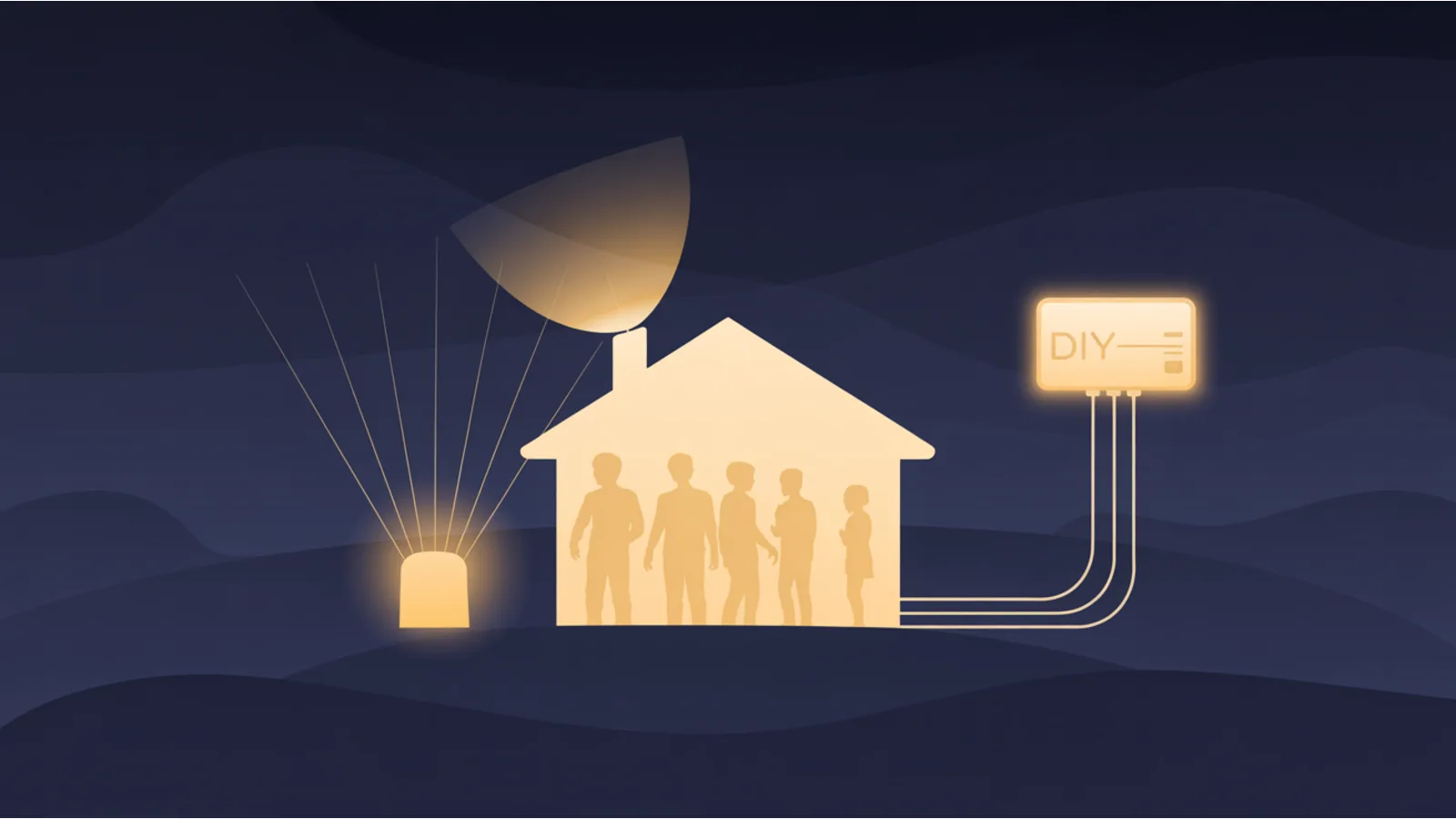
A friend of mine asked whether they should turn on Xfinity's "WiFi Motion" feature. The marketing language is benign — "see when your loved ones come home, get pet-friendly motion alerts." The technical reality is that Comcast turned every leased gateway into a presence sensor, and the data goes back to them.
That's not a Comcast-only story. Spectrum, Verizon, AT&T, Cox, and most US ISPs have their own version of the same play. They installed a piece of hardware in your home, gave it firmware updates you can't refuse, and built data products on what it sees. The opt-out menus are deliberately scattered.
This post walks through what each major ISP collects, how to disable as much of it as the platform allows, and — for the people who actually do need home / business monitoring — how to run uptime + alerts yourself without piping the data through a third party.
The Xfinity WiFi Motion baseline (the trigger for this post)
Xfinity gateways with the "WiFi Motion" feature use Channel State Information (CSI) — the variation in WiFi signal strength caused by movement between the router and connected devices — to detect motion across rooms and floors. The feature requires an XB7-class or newer gateway and ships disabled by default; turning it on enrolls you in continuous in-home presence sensing.
Three things to know:
- Even with "pet filtering" on, motion is still detected and stored — pet filtering only suppresses notifications to you. The data still flows.
- The same gateway is by default also broadcasting
xfinitywifi/XFINITY/Xfinity Mobilepublic hotspot SSIDs (separate radios, partitioned from your home network — but still your power and your spectrum). - The "xFi Advanced Security" feature uses third-party AI (Cujo AI) to inspect all home network traffic in real time and build behavioral profiles of every device.
To disable on Xfinity:
- WiFi Motion — Xfinity app → Security → WiFi Motion → toggle off
- Public hotspot — Xfinity app → WiFi → View WiFi equipment → Advanced Settings → Xfinity WiFi hotspot network → off (allow 24h; some users report it re-enables on firmware updates)
- xFi Advanced Security — Xfinity app → Security → Advanced Security → Settings → Off (note: this also stops blocking port forwarding, which fixes VPNs that broke when you enabled it)
- Advanced Security On The Go (mobile VPN through Xfinity) — same screen, separate toggle
- Home & Away occupancy tracking — Xfinity app → Home/Away toggle
- Privacy choices —
xfinity.com/privacy/your-privacy-choices→ opt out of Personalized Advertising, Audience Measurement & Analytics, all Business & Marketing Uses - Communication preferences — disable marketing emails/texts
- Voice Remote — voiceprint biometric collection cannot be fully disabled if you use voice; mitigation is to use the physical buttons
The "nuclear option" is returning the leased gateway and buying your own (a $200 modem like a Motorola MB8611 or a Netgear CM2050V pays back in 13 months at $15/mo rental). With your own hardware:
- No public hotspot broadcast on your power.
- No firmware updates that re-enable features you turned off.
- No built-in monitoring/surveillance capabilities.
- WiFi 6E / 7 if you want it.
What the WiFi Motion "see-through" actually looks like
The marketing copy says "pet-friendly motion detection." The research literature is less friendly. WiFi-based sensing has been public since 2019, and the visualizations in the academic papers are the reason privacy advocates flagged this category early.
The pipeline is three stages:
- Raw CSI (Channel State Information). The gateway captures amplitude and phase across ~30 subcarrier frequencies, sampled by 3 transmit × 3 receive antennas. The raw output is a tensor of shape
150 × 3 × 3per time slice — one half for phase, one half for amplitude. Looks like noisy radio oscillations on a scope. - Modality translation. A learned network converts the CSI tensor into a
1280 × 720image-like tensor — a heatmap-style intermediate representation that erases the RF origin and looks more like a thermal-camera frame. - Pose / silhouette output. A downstream network canceling out static objects produces body silhouettes, 2D skeleton joint-point maps, or UV-coordinate body-surface meshes. Faces, clothing, fine visual detail — none of that survives. Body count, body positions, gait, posture, adult vs child distinction — all legible.
Two of the foundational papers:
- Person-in-WiFi (Carnegie Mellon, ICCV 2019) — first widely-cited demo of WiFi-derived skeleton pose estimation. Figure 1 of the paper shows the camera-vs-WiFi side-by-sides: ri.cmu.edu/.../Person_in_WiFi_ICCV2019.pdf.
- DensePose From WiFi (2023) — extends to 3D body-surface mapping: arxiv.org/abs/2301.00250.
The defense offered is "it's not photography, so it's privacy-preserving." That line is technically accurate and strategically misleading. Occupancy patterns, visit frequency, household composition, and movement habits are more privacy-sensitive than most photos — and those are exactly what this output class does reveal. Higher-frequency WiFi (already in WiFi 6E and WiFi 7 spectrum) narrows the resolution gap further; the distance from consumer sensing to military-grade sensing is measured in firmware updates, not hardware replacements.
That matters for a consumer-ISP feature because the hardware is already deployed in tens of millions of homes. The product today is "pet-filtered motion alerts." The product five firmware updates from now is a capability question, not a hardware question.
Why Comcast built this — the strategic playbook
"Why is a cable ISP giving me a free presence sensor" is the right question. The marketing answer is customer safety. The full answer has six distinct business motives, and any one of them would justify the feature on its own.
1. Behavioral data monetization. Motion patterns reveal when the home is occupied, household size, activity levels per room, and daily routines. ISPs already have browsing metadata; presence and occupancy is additive signal. The CCPA/CPRA disclosure categories on their privacy pages (targeted advertising, audience measurement, "sharing" under state law) are specifically what permits this data class to flow to advertisers, insurers, and data brokers.
2. AI training data. In-home movement patterns are valuable training data for models that do occupancy, anomaly detection, and fall-detection. The contracts this data feeds may not be the ISP's — they may be licensed out under the same CCPA "sharing" disclosures.
3. Infrastructure intelligence. Identifying which devices are stationary vs mobile lets the carrier optimize mesh placement, predict bandwidth demand by room, and upsell WiFi extenders. Mapping which IoT devices are in each home supports targeted product pitches ("upgrade your thermostat, your smart lock, your doorbell").
4. Gateway stickiness. WiFi Motion requires an XB7 or newer. That requirement is not technical necessity — it's a retention lever. Every feature that requires their hardware is another reason a customer cannot easily switch to a third-party modem and save $180/year in rental fees. The same play explains xFi Advanced Security, Home/Away Mode, and the Advanced Security On The Go mobile VPN.
5. Law-enforcement cooperation value. Comcast's broader data infrastructure runs on Databricks, which publicly announced a strategic partnership with Palantir Technologies in March 2025. That partnership does not, by itself, establish any specific Comcast-to-Palantir data flow. What it does establish is that the data plumbing — the analytics substrate where ISP-collected data lives — is now federated with an analytics vendor whose largest customers are US federal intelligence and defense agencies. Motion logs, occupancy timestamps, and presence data are legally compellable under subpoena and NSL. An ISP that has opted in to advanced analytics infrastructure is materially more useful to law-enforcement requests than one that hasn't.
6. Consent manufacturing. "Opt-in" is doing a lot of heavy lifting here. Once a feature is opt-in, future expansions can arguably inherit that consent. The 2020s pattern of "you agreed to X narrow thing, therefore you've agreed to X + downstream Y" is visible across the ad-tech ecosystem; ISP privacy policies lean on it explicitly. Disabling the feature now is cheaper than winning back surveillance territory later.
None of the above is specific to Comcast. It applies in various weights to Spectrum, Verizon, AT&T, Cox — every major US ISP is running a version of the same play with the equipment they lease to you.
What the other major US ISPs are doing
Each ISP runs a different version of the same play. Below: what each one is documented to collect or actively sell, and where the opt-outs live.
Spectrum / Charter
Collects: broadband usage and traffic-pattern metadata, identifiable device IDs across all leased equipment (gateway, voice modem, set-top box). Pushes the "Spectrum Mobile" + "Spectrum WiFi" auto-connect on associated phones.
Sells: anonymized + pseudonymized "audience segments" via their advertising business (Spectrum Reach). Their privacy policy explicitly references targeting based on viewing habits across linear TV, on-demand, and broadband-derived signals.
Opt-out path:
spectrum.net/privacy/preferences— opt out of personalized advertising and "sharing under state law"- Spectrum app → Account → Notifications → disable marketing
- For Spectrum TV boxes: Settings → Privacy → opt out of viewing-data collection
- Replace the Spectrum-leased modem with your own DOCSIS 3.1 modem ($200 saves $9-15/month rental)
Verizon Fios + Verizon Wireless
Collects: the most aggressive of the major US ISPs in terms of cross-property correlation. Verizon's Custom Experience and Custom Experience Plus programs sync browsing data, app usage, location, and device-ID across Fios + wireless + AOL/Yahoo properties (Verizon Media → Yahoo since 2021).
Sells: behavioral segments through their advertising stack and to data brokers under CCPA/CPRA-permitted disclosure categories.
Opt-out path:
verizon.com/about/privacy/your-privacy-choices(the consolidated CCPA/CPRA page)- Inside My Verizon → Account → Privacy → toggle OFF Custom Experience + Custom Experience Plus
- Inside My Verizon → Manage marketing communications → opt out
- Yahoo / AOL accounts (if linked) — their separate privacy dashboards
- Replace leased Fios router with your own — Fios will still work via the ONT (the optical box on the wall)
AT&T Fiber + AT&T Wireless
Collects: broadband usage, location (wireless), device IDs. Used to run a "Premium Internet" tier (since deprecated) that explicitly bundled discounts in exchange for letting AT&T inject targeted ads into web pages via deep-packet inspection. The DPI infrastructure to do that still exists.
Sells: through Xandr (sold to Microsoft 2022) — though AT&T's relationship with Xandr is now arms-length, the audience-data feed continues.
Opt-out path:
att.com/privacy/your-privacy-choices- myAT&T app → Profile → Privacy → opt out of Personalized Advertising, Insights, Relevant Advertising
- For AT&T-leased gateways: settings panel at
192.168.1.254→ Diagnostics → Logs → disable usage logging where available - Replace leased gateway: harder for fiber (ONT integrated into gateway on some installs); call to request a separate ONT + bring your own router
Cox Communications
Collects: broadband usage, traffic-pattern metadata, "Panoramic WiFi" gateway device-presence data. The Panoramic WiFi product collects device-connection telemetry analogous to xFi.
Sells: Cox Media Group runs the audience-targeting business; broadband-derived signals are commingled with cable-TV viewing data.
Opt-out path:
cox.com/aboutus/policies/your-privacy-choices.html- Cox app → Account → Notifications → disable marketing
- Panoramic WiFi → Settings → review device-tracking toggles
- Replace gateway with your own DOCSIS 3.1 modem (Arris, Motorola, Netgear all work)
T-Mobile Home Internet / Verizon 5G Home / AT&T Internet Air
5G fixed-wireless ISPs (T-Mobile, Verizon, AT&T) have all the broadband-data collection of cable ISPs PLUS cellular-grade location data tied to the same account. The opt-outs live in the parent carrier's privacy dashboard (linked above for VZW/AT&T; T-Mobile's is at t-mobile.com/privacy-center).
The LTE/5G fixed-wireless gateway does NOT have the WiFi Motion equivalent yet — but it has on-device telemetry that reports back to the carrier. Treat it as cellular-equivalent surveillance.
Smaller / regional ISPs
Sonic (CA), TDS, WOW, Mediacom, Frontier — typically have less-aggressive advertising programs because they don't own a media/ad property to monetize the data with. They still collect; they just sell less. Privacy Choices pages are usually at <isp>.com/privacy — check the CCPA/CPRA section.
Municipal fiber + co-ops
Greenlight (NC), EPB (TN), CDE Lightband (TN), Chattanooga's gigabit network, and similar municipally-owned ISPs are the strongest privacy posture available. Most don't have advertising businesses and have ACLU-style data-collection limits in their charters. If you have one available where you live, it's typically the best option.
The other in-home surveillance vectors
ISP gateway is one vector. The full list at most US households:
- Smart TVs — Automatic Content Recognition (ACR) on Samsung, LG, Vizio, Roku, Amazon Fire TV. Disable in TV Settings → Privacy/Smart Features → ACR or "Viewing Information Services."
- Smart speakers — Alexa, Google Home, Apple HomePod. Voice-command audio is recorded; Alexa specifically retains by default. Disable history retention in each app.
- Doorbell cameras — Ring, Nest, Eufy, Wyze. Ring's law-enforcement portal has been the subject of multiple FTC actions; review the camera-sharing settings.
- Smart locks + security systems — SimpliSafe, ADT, Ring Alarm. All log entry/exit timestamps and share with the host service.
- Smart appliances — refrigerators, washing machines, dishwashers with WiFi. Most ship telemetry.
- Connected cars — Mozilla Foundation's 2023 Privacy Not Included car review labeled connected cars the worst category they'd ever audited; opt-outs are limited to non-existent.
The pattern: every device that can phone home is phoning home. The opt-outs are usually buried, and several manufacturers re-enable telemetry on firmware updates.
The case for running monitoring yourself
A reasonable response to "I can't trust my ISP / smart-TV / doorbell to be private" is: I'll buy a monitoring service. But many monitoring services are themselves surveillance products — they collect customer data and sometimes resell it to the same data brokers ISPs sell to.
Better: do it yourself. The tools to run uptime checks, alerts, log monitoring, and even basic intrusion detection are cheap and well-documented in 2026.
What you actually need
For most SMBs and individuals:
- Uptime check — does my site respond with HTTP 200 every 5 minutes?
- Alert when it doesn't — email, SMS, or Slack ping within 60 seconds.
- Status page — public page showing current/historical uptime.
- Log review — daily summary of errors, slow requests, suspicious patterns.
- Optional: synthetic transactions — does the checkout flow work end-to-end?
That's the whole monitoring stack. You don't need 12 dashboards; you need 5 things working.
Option A — BetterStack (pay-to-skip-the-work)
BetterStack bundles all 5 above. Pricing as of 2026-04: Free tier covers 10 monitors, 3-min check interval, email alerts, 90-day log retention. Team tier $25/mo per user gets 50 monitors, 30s checks, multi-region, on-call rotation. Enterprise scales from there.
Use BetterStack when:
- You need on-call paging with rotation (PagerDuty-equivalent without paying PagerDuty prices).
- You want a managed status page on a custom domain in 5 minutes.
- You want centralized log aggregation across multiple servers without maintaining ELK/Loki yourself.
- The $25-50/mo is cheaper than your time to build/maintain.
The privacy tradeoff: BetterStack collects request metadata for monitoring purposes, has a clean privacy policy, doesn't appear to sell data, but is still a third party in the loop.
Option B — Native platform alerts (free, near-zero setup)
If your site is on Netlify, Vercel, Cloudflare Pages, or similar, the platform already does most of monitoring:
Netlify deploy notifications:
- Site settings → Build & deploy → Deploy notifications
- Add Email notification on "Deploy succeeded" + "Deploy failed"
- Add Slack webhook for the same
- Add HTTP webhook for "Deploy failed" → fires to your own endpoint
- Cost: $0
Netlify form-submission notifications:
- Site settings → Forms → Form notifications
- Email + Slack + outgoing webhook on every form submit
- Cost: $0
Vercel deployment alerts:
- Project settings → Notifications → Deployment failures, build errors
- Slack + Discord integrations native
- Webhooks to custom URL on deploy.created / deploy.failed
Cloudflare Workers alerts:
- Workers analytics + the new Cloudflare Notifications system
- Email + webhook on error rate > N
- Cost: $0 on free tier
GitHub Actions for periodic checks:
.github/workflows/uptime.ymlrunscurl -fsS https://yoursite.comevery 30 min on cron- Email alert on failure via
peter-evans/repository-dispatchor justif: failure()+ actions/notify-via-email - Status page via GitHub Pages from the same repo's check-result history
- Cost: $0 (within free Actions minutes)
Plain shell + cron + mailx:
#!/usr/bin/env bash
URL="https://yoursite.com"
if ! curl -fsS --max-time 10 "$URL" > /dev/null; then
  echo "$(date) — $URL is down" | mail -s "[ALERT] $URL down" you@example.com
fi
Add to crontab -e as */5 * * * * /home/you/uptime-check.sh. Total cost: an SMTP relay (Mailgun free tier covers 100 emails/day; SES $0.10/1000) or a $5/mo VPS.
Option C — Self-hosted Uptime Kuma (free, more setup)
Uptime Kuma is open-source, self-hosted, and replaces ~80% of BetterStack's feature set. Runs in Docker on any $4/mo VPS:
docker run -d --restart=always -p 3001:3001 \
  -v uptime-kuma:/app/data \
  --name uptime-kuma louislam/uptime-kuma:1
Includes: uptime monitoring (HTTP, TCP, DNS, ping, push), 90+ notification channels (email, Slack, Discord, Telegram, ntfy.sh, gotify, webhooks), public status pages on custom domains, multi-user with auth.
Use Uptime Kuma when:
- You want full control over the data (nothing leaves your VPS).
- You're already running a Docker host.
- You're OK with the maintenance burden of patches + occasional debugging.
Cost: ~$5/mo VPS + 1 hour of setup. Best privacy posture of the four options.
Option D — Hybrid (recommended for most SMBs)
The pragmatic split for most operators:
- Uptime + outage paging: Uptime Kuma on a $5/mo VPS (you control the data).
- Deploy / build / form notifications: native Netlify / Vercel / Cloudflare webhooks → your own email or Slack.
- Log review: download Netlify logs daily via the API; process locally; never ship to a SaaS.
- Status page: Uptime Kuma's built-in, on
status.yoursite.com.
Total cost: $5/mo. Total third parties in the loop for monitoring data: zero (your hosting platform already has the data anyway; you're not adding a new collector).
When BetterStack is actually worth it
Three legitimate cases:
- You need PagerDuty-style on-call rotation with escalation rules + multi-channel paging (SMS/voice). DIY this is doable but takes 10+ hours of setup. BetterStack ships it.
- You're at the size where centralized log aggregation across 5+ services makes sense. ELK / Loki / Grafana self-hosted is a 20-hour commitment to set up correctly + ongoing maintenance.
- You have a paying customer who needs a managed status page on YOUR custom domain with their SLA-credit logic baked in. BetterStack ships this in 30 minutes.
For most SMBs running 1-3 sites, options A-D above cover everything BetterStack would do, at $0-$5/mo, with stronger data control.
A practical 7-day setup
Day 1: Audit your ISP. Walk through every opt-out above for whichever ISP you have.
Day 2: Audit other in-home telemetry. Smart TV, smart speaker, doorbell, car, smart appliances. Disable retention/transmission where the device allows.
Day 3: Replace your ISP's leased gateway with your own modem if you're on cable (Motorola, Netgear, Arris).
Day 4: Set up Uptime Kuma on a $5/mo VPS (Hetzner, DigitalOcean, Vultr, OVH all work). One hour.
Day 5: Wire native Netlify / Vercel / Cloudflare webhooks → your email + Slack for deploy + form events.
Day 6: Set up the daily log-summary cron — pull access logs, count 4xx/5xx, email yourself.
Day 7: Document the stack so you remember next month. Save the credentials in a password manager. Plan to revisit in 90 days when ISP firmware updates may have re-enabled features you turned off.
What this audit can't fix
The ISP still owns the layer-3 packets between you and the internet. You can't opt out of the metadata they collect by virtue of routing your traffic. What you CAN do:
- HTTPS everywhere (already default on most sites)
- DNS-over-HTTPS / DNS-over-TLS to a non-ISP resolver (Cloudflare 1.1.1.1, Quad9, NextDNS)
- VPN for sensitive browsing (Mullvad, Proton VPN, IVPN — pick one that publishes warrant-canary updates)
- Tor for anonymous browsing where appropriate (rare for SMB use cases; valuable for journalism / activism / threat-modeling)
These don't stop the ISP from knowing you're using the internet; they stop the ISP from knowing what specifically you're doing on it.
Run the audit yourself
Companion tool: ISP Privacy Posture Audit — pick your ISP + your smart-home devices + what you've already disabled, and the tool emits a prioritized opt-out checklist with direct links to each opt-out screen. Runs 100% in your browser; nothing leaves the page.
Related reading
- Isolating IoT Devices On A Consumer Router — VLAN + Per-SSID VPN Segmentation For Beginners — the layered follow-up: quarantine any untrusted IoT device (grey-market streamers, unbranded cameras, budget smart plugs) on its own VLAN with a VPN exit you choose
- Web Log Anomaly Detector — for monitoring your own server logs (the privacy-respecting alternative to shipping logs to a SaaS)
- Email Infrastructure For Small Business — running your own SMTP relay for alerts
- Caddy Server Use Cases — if you're going self-hosted
- Build Your Own Web Stack Visualizer — the full DIY spectrum
- ZeroSSL / ACME CA Alternative — for self-managed TLS
Fact-check notes and sources
- Comcast WiFi Motion technical detail: synthesis from Comcast's WiFi Motion product page + community testing 2023-2026
- xFi Advanced Security powered by Cujo AI: confirmed in Cujo AI press release and Comcast's xFi documentation
- Carnegie Mellon's CSI-based body silhouette work: Person-in-WiFi (ICCV 2019)
- DensePose From WiFi (3D body mapping from CSI): arxiv.org/abs/2301.00250
- Comcast public hotspot SSID extension on customer gateways: documented across Comcast's Xfinity WiFi page
- 2017 Comcast Xfinity hotspot MAC-spoofing vulnerability: covered in security press at the time; details still cited in the source thread
- ISP advertising businesses (Verizon Custom Experience, AT&T Xandr-era DPI, Spectrum Reach, Cox Media Group): each ISP's own privacy/advertising disclosure pages linked above
- Privacy-Not-Included car review: Mozilla Foundation 2023 — Privacy Not Included cars
- BetterStack pricing: betterstack.com/pricing as of 2026-04
- Uptime Kuma: github.com/louislam/uptime-kuma
- Comcast / Databricks / Palantir relationship referenced in the source: Databricks-Palantir partnership announced March 2025; treat the broader inference about subpoena-cooperation pathways as analytical commentary, not a documented Comcast claim
This post is informational, not legal or telecommunications-policy advice. Mentions of Comcast/Xfinity, Spectrum/Charter, Verizon, AT&T, Cox, T-Mobile, Cujo AI, Databricks, Palantir, Mozilla, BetterStack, Uptime Kuma, Netlify, Vercel, Cloudflare, Hetzner, DigitalOcean, Vultr are nominative fair use. No affiliation is implied.
