
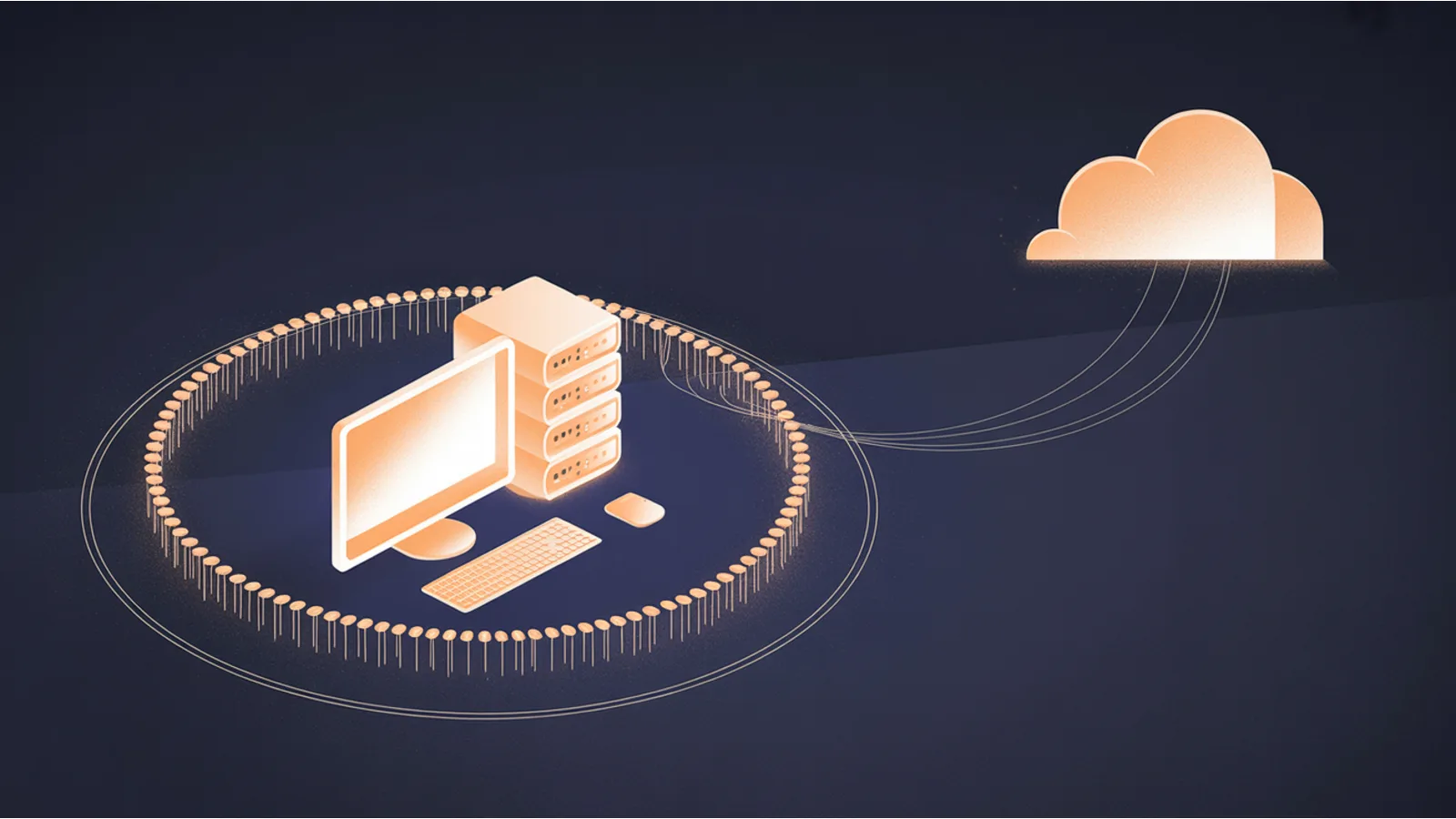
The case for running AI on your own hardware got stronger in 2026, but most of the posts making that case quietly recycle vendor marketing. They round optimistic single-machine benchmarks into universal speedups. They forget to mention what a $7,500 workstation does to the spreadsheet. They never tell you that more than 7,000 Ollama instances are sitting open to the internet right now.
This post is a sharper read. The local stack genuinely improved this spring. The economics genuinely flipped for certain workloads. Both of those statements come with honest qualifiers, and the qualifiers are the difference between a deployment that pays for itself and one that becomes a line item you can't explain to your CFO.
Marco Kotrotsos's Medium piece on the local Apple Silicon stack (source) is the spine of the runtime story. I've kept his structure where it holds up and rewritten the parts where it overstates the evidence. The cost, privacy, and IT-ops sections are mine.
What actually changed in local AI this spring
Three shifts matter for anyone choosing between cloud and local in 2026.
Ollama 0.19 switched its Apple Silicon backend from llama.cpp to Apple's MLX framework on March 30, 2026 (Ollama blog). Linux and Windows still run llama.cpp; only Apple Silicon got the swap. Ollama's published benchmark on an M5 Max running Qwen3.5-35B-A3B (bf16) shows prefill rising from 1,154 to 1,810 tok/s (+57%) and decode from 58 to 112 tok/s (+93%). That is one chip, one model, one quantization, published by the vendor. It is also the only measured MLX-vs-prior delta I would put on a slide without an asterisk.
The broader "MLX outperforms llama.cpp by 20-30%" claim that gets recycled in local-AI posts is too clean. The real range is wider and size-dependent: roughly 20% to 87% on sub-14B models, and effectively zero above about 27B where memory bandwidth becomes the bottleneck (benchmark roundup, Qwen3.5 Apple Silicon benchmark). If you're choosing hardware for a 70B model, the runtime delta is not what makes the decision. Memory bandwidth is.
Apple's Foundation Models framework shipped with macOS 26 and iOS 26 in 2025 (Apple ML Research, WWDC25 session 286). It exposes a roughly 3-billion-parameter on-device model to Swift apps for free, with type-safe structured output via the @Generable macro and tool calling built in (WWDC25 session 301). For a Swift developer building a Mac or iOS feature that needs simple extraction, summarization, or rewriting, you now have a no-egress, no-API-key, no-rate-limit baseline you can ship. That is genuinely new.
The speech stack on Apple Neural Engine is fast. WhisperKit from Argmax and FluidAudio (which runs NVIDIA's Parakeet model via CoreML) both compile to ANE (Argmax, FluidAudio). You'll see two numbers cited everywhere: "0.19 seconds for FluidAudio versus 1.02 seconds for MLX-Whisper" and "one hour of audio in 90 seconds." Both are real, both have caveats the source articles tend to elide.
The 0.19s and 1.02s figures come from a single third-party benchmark on one MacBook Pro M4 24GB, running parakeet-tdt-0.6b-v2-coreml against whisper-large-v3-turbo without quantization. Those are different models on different audio-length test sets, not a like-for-like comparison (anvanvan/mac-whisper-speedtest). The "90 seconds per hour" line for WhisperKit is true for M2 Ultra in the default ANE-only config (Argmax measured roughly 42x realtime, or about 86 seconds per hour), and up to 72x realtime with GPU plus ANE (about 50 seconds per hour). Slower Macs will be slower (Argmax discussion #243).
I am being pedantic on purpose. If you're sizing an internal "transcribe every sales call" workflow, the difference between 50 seconds per hour on an M2 Ultra and a longer figure on an M3 Pro is a budget item.
The honest case for on-prem AI
Strip away the marketing. The benefits that actually hold up:
Privacy by construction. A local model cannot leak data it never received. With Ollama or LM Studio bound to your LAN behind a reverse proxy, prompts, outputs, and embeddings stay on the corporate network. The cloud equivalent is a layered policy stack: OpenAI's API hasn't trained on customer data by default since March 1, 2023, but it retains abuse-monitoring logs containing prompts and responses for up to 30 days unless you've been approved for Zero Data Retention (OpenAI data guide). Anthropic's split is starker. Commercial customers (API, Claude for Work, Claude Enterprise) are no-training by default; consumer Claude chats and coding sessions are used for training and retained up to five years unless the user opts out, per the August 2025 policy update (Anthropic update, Anthropic API retention docs). On-prem makes that whole conversation moot.
Zero per-call cost at runtime. Once you've pulled Qwen 3, Llama 4, Gemma 4, DeepSeek R1, or Apple's Foundation Model, marginal inference cost is electricity. Finance gets to budget AI as a depreciating capex line instead of a metered opex line that's impossible to forecast on launch day.
Latency. Network round-trips to a cloud endpoint typically add tens to hundreds of milliseconds before you see a token. Local inference removes the trip entirely. For voice agents, autocomplete UX, and any tight interactive loop, that matters.
Data residency. GDPR cross-border transfers require Standard Contractual Clauses, Binding Corporate Rules, or an adequacy decision. The EU AI Act enters full high-risk applicability in August 2026 with penalties up to 7% of global annual turnover, higher than GDPR's 4% ceiling (reference). If inference, telemetry, evaluation, prompt caching, fine-tuning, and observability all need to stay in-region, local inference plus self-hosted Langfuse or Helicone keeps every one of those surfaces inside your network boundary by construction.
Resilience to vendor outages. StatusGator counted roughly 294 OpenAI outages since January 2025, including a 10-hour global incident on June 10, 2025, a 2-hour Conversations failure on September 3, 2025, a December 2 misconfig outage, and a February 3, 2026 incident with more than 13,000 user reports (StatusGator history). If your business workflow is hard-coupled to a single vendor's API, that is your uptime. Local inference is whatever your existing server SLA is.
Compliance posture for healthcare. HHS's January 2025 NPRM (the first HIPAA Security Rule overhaul since 2003) would require covered entities to maintain a tech-asset inventory that identifies AI tools touching ePHI, fold those tools into the formal risk analysis, and apply Security Rule controls to ePHI used in AI training data and algorithms (Federal Register). The rule is still proposed, not final. But if it lands close to the NPRM, on-prem inference removes the entire business-associate chain because the AI tool is a covered-entity-operated system, not a third-party processor.
NIST's AI Risk Management Framework Generative AI Profile (NIST AI 600-1, July 26, 2024) names Data Privacy as one of twelve GAI risk categories, with PII leakage and de-anonymization as specific concerns (NIST AI 600-1 PDF). It's the framework most U.S. organizations cite when they justify on-prem inference as a privacy control. If you ever need to defend the architecture choice in a procurement review, this is the doc.
The cost contrast
Here's where the marketing pitch usually wins and the actual numbers usually disagree. The cloud-API per-token table, accurate as of 2026-06-16:
| Model | Input ($/M tok) | Output ($/M tok) | Source |
|---|---|---|---|
| Claude Opus 4.8 | $5.00 | $25.00 | Anthropic pricing |
| Claude Sonnet 4.6 | $3.00 | $15.00 | Anthropic pricing |
| Claude Haiku 4.5 | $1.00 | $5.00 | Anthropic pricing |
| OpenAI GPT-5.5 | $5.00 | $30.00 | OpenAI pricing |
| OpenAI GPT-5.4 | $2.50 | $15.00 | OpenAI pricing |
| OpenAI GPT-5.4 mini | $0.75 | $4.50 | OpenAI pricing |
| Gemini 2.5 Pro (≤200K) | $1.25 | $10.00 | Gemini pricing |
| Gemini 2.5 Flash | $0.30 | $2.50 | Gemini pricing |
| DeepSeek V3.2 | $0.14 (cache-miss) | ~$0.28 | DeepSeek pricing |
| DeepSeek R1 | $0.55 | $2.19 | DeepSeek pricing |
| Moonshot Kimi K2.6 | $0.95 | $4.00 | Moonshot pricing |
Per-seat SaaS, which is what most teams actually buy:
| Product | Per seat | Notes |
|---|---|---|
| Claude Pro | $20/mo | Consumer; $17/mo billed annually |
| Claude Team | $25/seat/mo | 5-seat minimum |
| ChatGPT Team | $25/seat/mo annual, $30/mo monthly | 2-seat minimum |
| ChatGPT Enterprise | Custom, typically $40 to $60/seat/mo | 150-seat minimum |
| M365 Copilot Business | $18/seat/mo promo, $21 standard | SMB tier, ≤300 users |
| M365 Copilot Enterprise | $30/seat/mo | Add-on to qualifying M365 license |
Sources: Anthropic pricing, OpenAI pricing, Microsoft Copilot Business.
Now the on-prem side. Hardware capex, electricity, three-year amortized cost:
| Build | Capex | Power (load) | Annual elec (residential) | 3-yr TCO |
|---|---|---|---|---|
| Mac mini M4 16GB | $599 | 4W idle, 65W max | ~$35/yr | ~$700 |
| Mac mini M4 Pro 48GB | $1,999 | 5W idle, 140W max | ~$79/yr | ~$2,236 |
| Mac Studio M4 Max 36GB | $1,999 | ~330W under load | ~$120/yr | ~$2,359 |
| Mac Studio M3 Ultra 96GB | $3,999 | 9W idle, 270W max | ~$114/yr | ~$4,341 |
| RTX 5090 workstation | $5,000 to $8,000 | ~700W system | ~$473/yr | ~$8,919 |
Power numbers from Apple Support 103253, creativestrategies.com, biggo.com Mac Studio review, and driverscloud RTX 5090. Mac mini and Studio prices from Apple and Apple Mac Studio. RTX 5090 system pricing from Petronella Tech 2026 build guide. Electricity cost is computed using EIA's March 2026 US residential average of 18.05 ¢/kWh and an 8h-load / 16h-idle daily duty cycle (EIA Electric Power Monthly).
Two important warnings on the local side as of mid-2026. First, Apple pulled the Mac mini M4 Pro 64GB SKU and the Mac Studio M3 Ultra 512GB upgrade in April 2026, and raised the 256GB Ultra upgrade by $400, citing the global DRAM shortage (Next Web, Tom's Hardware). Second, the RTX 5090 launched at a $1,999 MSRP in January 2025 but is selling for $2,500 to $4,329 in June 2026, 25% to 115% above MSRP, due to the GDDR7 supply crunch (VideoCardz). Both shortages have moved the local-vs-cloud math materially in cloud's favor right now.
The honest break-even. For a 10-person team doing moderate use (roughly 60K input plus 6K output tokens per user per workday), here is what the API spend actually looks like:
- Gemini 2.5 Flash: about $7/month for the whole team
- DeepSeek V3.2: about $2/month
- Claude Sonnet 4.6: about $59/month
- GPT-5.4: about $53/month
- GPT-5.5 flagship: about $106/month
At those volumes the per-seat SaaS bundle costs more than the API: Claude Team at 10 seats is $250/month, ChatGPT Team is $250 to $300/month, M365 Copilot Business is about $210/month. The actual cloud cost driver for small teams is the SaaS bundle, not the tokens.
Heavy developer or RAG use (roughly 10x that volume, 13.2M input plus 1.32M output per user per month) on Claude Sonnet 4.6 jumps to about $594/month for 10 users. On GPT-5.5 flagship, about $1,055/month. At a single power user spending $30/day on Sonnet 4.6 (5M input, 1M output per day, $10,950 per year), local hardware pays back its three-year capex inside a quarter.
So the break-even line, plainly stated: a $20/month Claude Pro or ChatGPT Plus seat is $720 over three years per seat. Any local rig that can actually run 70B-class inference (an M3 Ultra at $4,341 three-year TCO or a single 5090 workstation at $8,919) is more expensive than the seat unless you are a heavy API user or unless privacy and offline operation are non-negotiable for compliance reasons. Local wins on day one only at heavy-usage volumes or under a privacy mandate. Outside those two cases, a per-seat subscription beats the workstation on cash flow.
The throughput picture decides the rest. On a 70B-class model at Q4, an M3 Ultra hits roughly 25 to 30 tok/s using the MLX backend; two RTX 5090s together hit about 27 tok/s (insiderllm, databasemart). On small-to-mid models the picture flips: a single RTX 5090 does about 186 tok/s on Qwen3-8B Q4 and about 124 tok/s on 14B; Apple Silicon is much slower on those sizes (hardware-corner). Apple wins watts-per-token and unified-memory ceiling; NVIDIA wins raw tok/s on smaller models and ecosystem maturity. Pick based on which workload dominates.
How IT serves it locally
The serving stack is straightforward; the security mistakes around it are not.
Ollama binds to 127.0.0.1:11434 by default. To serve workstations on the LAN you set OLLAMA_HOST=0.0.0.0:11434 before starting the daemon. CORS for browser clients and extensions is controlled by OLLAMA_ORIGINS, comma-separated (Ollama FAQ). Model lifecycle is one command: ollama pull <model> checks the registry, downloads only changed layers, and resumes on interruption. There is no separate update command (Ollama API docs).
LM Studio defaults to http://localhost:1234 and exposes an OpenAI-compatible API. To serve to the LAN, enable "Serve on Local Network" in the Developer tab, or run lms server start --bind 0.0.0.0 (LM Studio network docs). Any OpenAI client library drops in by swapping base_url to http://<lan-host>:1234/v1 with any non-empty api_key placeholder (LM Studio OpenAI compat).
The OpenAI-compatible endpoint pattern is the single biggest reason this stack is worth setting up. Any code, agent framework, or internal tool that already speaks OpenAI's API speaks your local server with one config change. You don't rewrite agents to migrate from cloud to local; you change a base URL.
The hardening pattern. Neither Ollama nor vLLM ships built-in authentication. The documented approach is to keep the model server bound to 127.0.0.1 on its host and put nginx or Caddy in front with HTTP basic auth or token auth, terminating TLS at the proxy (getpagespeed nginx guide, Caddy reverse-proxy guide). LM Studio's own docs make the warning explicit: any bind other than 127.0.0.1 exposes the server beyond localhost, and the docs recommend enabling authentication (LM Studio network docs).
Do not skip the proxy. UpGuard counted more than 7,000 publicly exposed Ollama APIs sitting open on the internet as of February 2025, with no authentication in front of them (UpGuard report, Cisco Talos Shodan study). Risks include prompt and conversation access, GPU resource theft (someone else's compute on your power bill), model enumeration, and information probing. If your LAN talks to your model server over the open internet because someone forwarded port 11434 through the firewall, you have a problem.
The local agent surface needs the same patch hygiene as any other internal app. CVE-2026-25253 in OpenClaw, disclosed January 26, 2026, was a one-click remote code execution: a malicious link with a poisoned gatewayUrl query parameter exfiltrated the operator's auth token via an unvalidated WebSocket origin. CVSS 8.8 High. Fixed in version 2026.1.29 (runZero analysis, SonicWall write-up, SOC Radar). On-prem does not mean unpatched. It means you own the patching schedule.
Keeping it beneficial: right-sizing, observability, and a hybrid fallback
The single biggest mistake teams make with local AI is loading a model their hardware cannot actually serve. The Q4_K_M sizing rule of thumb, as of 2026:
| Model size | VRAM needed (Q4_K_M) |
|---|---|
| 7B | ~8 GB |
| 13 to 14B | ~12 to 16 GB |
| 30 to 32B | ~24 GB |
| 70B | ~35 to 48 GB (39 GB typical) |
Sources: mljourney VRAM guide, localaimaster 2026 VRAM table, SitePoint 70B at 16GB. Add 1 to 2 GB for KV cache headroom; real footprint varies with context length and the specific quant variant. On Apple Silicon, the unified-memory pool is what counts, not a separate VRAM number.
A note on a frequently misquoted model: Llama 4 Scout. It is real, released April 5, 2025, but it is 17B active over 109B total in a Mixture-of-Experts checkpoint. At Q4 the full MoE weights are 55 to 60 GB, so it fits comfortably only on 64 to 128 GB M4 Max machines, not on a 24 GB M4 Pro (Meta Llama 4 announcement, Llama 4 Scout HF card). Several local-AI posts call it "30B-class." It isn't. Right-size against the total MoE size, not the active parameter count.
Two more pieces complete the local stack.
Self-hosted observability. Langfuse, Helicone (open source, self-host via Docker), and Portkey can all run on-prem so usage, cost, and latency telemetry never leave the network (mlflow LLM observability guide, Confident AI comparison). If you skip this layer you are flying blind on which prompts cost what, which agents loop, and which skills drift over time. Cloud APIs at least give you a billing dashboard for free; on-prem you have to build the dashboard yourself, and self-hosted Langfuse is the closest thing to a drop-in.
Hybrid local-default with opt-in cloud fallback. The documented enterprise pattern is an AI gateway (LiteLLM, OpenRouter-style routers, Bifrost) that routes by data-sensitivity tag and falls back to a cloud model only when the local model genuinely can't handle the request, or when the user explicitly permits external egress. PII and PHI redaction on inputs, plus secrets detection on outputs, are baseline guardrails (SitePoint hybrid architecture guide, Maxim AI failover guide). This is the architecture that lets you keep the privacy posture for 90% of traffic while still calling Opus or Gemini Pro when a hard reasoning task needs them.
What to skip and where local honestly loses
A few things the local-AI evangelists won't tell you cleanly:
- No local open-weight model matches Opus 4.8 or GPT-5.5 reasoning today. Qwen 3, Llama 4, Gemma 4, DeepSeek R1 are all credible, but for hard multi-step reasoning, code synthesis on unfamiliar codebases, or precise instruction following on complex specs, frontier cloud models still win. If you need the ceiling, you'll need the API.
- Context windows are tight. Local 70B at Q4 typically gives you 8K to 32K usable context. Claude offers up to 1M on Sonnet 4.6 and Opus 4.7. GPT-5.5 is similar. Gemini 2.5 Pro doubles the rate above 200K, but offers it. If your workflow is long-document analysis, local hardware can hold the weights but not your document.
- Horizontal scale is a separate problem. One workstation serves one or two concurrent power users well. Twenty seats hammering it at once needs a serving stack (vLLM with KV caching, paged attention, tensor parallel) and a load balancer in front. That stack is real engineering, not a weekend project.
- Ops time is real. Driver upkeep, MLX or CUDA toolchain updates, model downloads (50 to 400 GB each), thermals on workstations under sustained load, no SLA when something breaks at 11 p.m. You are now running an inference platform. Budget the time.
- Vendor model improvements arrive monthly. Claude Opus 4.8 (Anthropic), GPT-5.5 (OpenAI), Gemini 2.5 Pro, Kimi K2.6 (Moonshot). The cloud roadmap moves faster than your hardware-amortization cycle. Plan for hybrid because the relative gap on hard tasks will keep shifting.
The right framing isn't local-versus-cloud. It is local-default for the work where privacy, latency, residency, and predictable cost dominate, with a clean opt-in pathway to cloud for the cases where ceiling reasoning or scale dominate. The investment that compounds is the part most posts skip: the gateway, the observability, the guardrails, the right-sizing discipline. That layer survives every model swap on either side.
The deeper version
The capital-allocation framing for under-$100 AI infrastructure (where the durable spend goes, why the boring layer compounds, and how to make local-default actually work for a small business) is the spine of The $100 Network (Digital Empire series, $9.99 on Kindle).
For a chip-by-chip sanity check on which models a specific Mac can actually run, see the forthcoming Apple Silicon Local AI Advisor tool. Inputs are chip family, unified memory, and comfort level; outputs are a source-cited shortlist with every number labeled measured, vendor-claimed, or engineering judgment.
Related reading
- The AI terminal kickstart, the install script for the four-CLI local stack.
- Qwen open weights, self-hosted at home, the model side of the same architecture.
- Gemma open weights and where it fits, the small-model counterpart.
- Build an AI job agent: inference sizing, the VRAM and quantization math applied to a real workflow.
- Wall Street is betting on the wrong AI layer, the capital-allocation framing this post operationalizes.
- How a small business runs AI agents without a $47K surprise bill, the observability and cost-cap discipline this post relies on.
Fact-check notes and sources
Runtime stack:
- Ollama 0.19 MLX switch, March 30, 2026, Apple Silicon only: Ollama blog.
- M5 Max Qwen3.5-35B-A3B benchmark (prefill +57%, decode +93%): Ollama blog. Vendor-published, single chip.
- Apple Foundation Models framework (~3B on-device, macOS 26+): Apple ML Research, WWDC25 286, WWDC25 301.
- WhisperKit and FluidAudio on ANE: Argmax, FluidAudio repo.
- FluidAudio 0.19s vs MLX-Whisper 1.02s, single MacBook Pro M4 24GB, different models: anvanvan/mac-whisper-speedtest.
- WhisperKit ~42x to 72x realtime on M2 Ultra (about 50 to 90 seconds per hour, chip-specific): Argmax discussion #243.
- MLX vs llama.cpp range (20% to 87% under 14B, near zero above 27B): andreask benchmark roundup, Qwen3.5 Apple Silicon benchmark.
- Llama 4 Scout (17B active / 109B total MoE, ~55 to 60 GB at Q4): Meta announcement, HF model card.
Cloud pricing as of 2026-06-16:
- Claude Opus 4.8 ($5/$25 per M tok), Sonnet 4.6 ($3/$15), Haiku 4.5 ($1/$5): Anthropic pricing.
- GPT-5.5 ($5/$30), GPT-5.4 ($2.50/$15), GPT-5.4 mini ($0.75/$4.50): OpenAI pricing, GPT-5.5 launch.
- Gemini 2.5 Pro ($1.25/$10 under 200K, $2.50/$15 above), Flash ($0.30/$2.50): Gemini pricing.
- DeepSeek V3.2 ($0.14 cache-miss input, ~$0.28 output), R1 ($0.55/$2.19): DeepSeek pricing.
- Kimi K2.6 ($0.95/$4.00): Moonshot platform.
- Per-seat SaaS (Claude Team $25, ChatGPT Team $25 to $30, M365 Copilot Business $18 to $21, Copilot Enterprise $30): Anthropic pricing, OpenAI ChatGPT pricing, Microsoft Copilot Business.
Hardware, electricity, TCO:
- Mac mini and Mac Studio US pricing: Apple Mac mini, Apple Mac Studio.
- Apple power tables (Mac mini M4 4W idle / 65W max; M4 Pro 5W / 140W): Apple Support 103253.
- Mac Studio M3 Ultra power (~9W idle / 270W max, under 200W typical at LLM load): Markus Schall MLX deep dive, Creative Strategies review.
- Mac Studio M4 Max load (~330 to 336W): biggo.com.
- RTX 5090 (575W TDP, $1,999 MSRP Jan 2025, $2,500 to $4,329 street June 2026): DriversCloud, VideoCardz price tracking.
- RTX 5090 workstation build ($5K to $8K): Petronella Tech 2026 guide.
- EIA US average electricity prices (March 2026: 18.05 ¢/kWh residential, 14.12 ¢/kWh commercial, 14.18 ¢/kWh all sectors): EIA Electric Power Monthly Table 5.6.A.
- 2026 DRAM/GDDR7 shortage moving local-vs-cloud math: Next Web Mac shortage report, Tom's Hardware Mac Studio 512GB pull.
- 70B Q4 tok/s on Apple Silicon (M4 Max ~8 to 15, M3 Ultra ~25 to 30): insiderllm Apple Silicon guide.
- RTX 5090 tok/s (~186 on 8B Q4, ~124 on 14B Q4, ~45 on 32B Q4, ~27 on 70B Q4 with two cards): hardware-corner, DatabaseMart RTX 5090 bench.
Privacy, retention, compliance:
- OpenAI API no-training-by-default since 2023-03-01; 30-day abuse-monitoring retention; ZDR by approval: OpenAI data guide.
- Anthropic commercial vs consumer split (Aug 2025 update; consumer up to 5-year retention with opt-out): Anthropic consumer terms update, Anthropic API and data retention docs.
- HHS January 2025 HIPAA Security Rule NPRM (AI in tech-asset inventory, AI in risk analysis): Federal Register 2025-01-06.
- NIST AI 600-1 Generative AI Profile (12 risk categories, Data Privacy named): NIST AI 600-1 PDF.
- EU AI Act high-risk full applicability August 2026, penalties up to 7% of global annual turnover: Lyceum EU residency reference.
- OpenAI outage history (about 294 incidents since Jan 2025, 10-hour June 2025 outage, Feb 2026 13K-report incident): StatusGator OpenAI history.
IT serving and security:
- Ollama default bind
127.0.0.1:11434,OLLAMA_HOST=0.0.0.0:11434,OLLAMA_ORIGINS, model lifecycle viaollama pull: Ollama FAQ, Ollama API pull. - LM Studio default
localhost:1234,lms server start --bind 0.0.0.0, OpenAI-compatible endpoint, explicit auth warning in docs: LM Studio network docs, LM Studio OpenAI compat. - Reverse-proxy hardening (nginx or Caddy in front of
127.0.0.1with basicauth and TLS termination): getpagespeed nginx Ollama guide, Caddy reverse-proxy auth guide. - More than 7,000 publicly exposed Ollama APIs (UpGuard, Feb 2025): UpGuard analysis, Cisco Talos Shodan study.
- CVE-2026-25253 OpenClaw one-click RCE (CVSS 8.8, fixed 2026.1.29): runZero, SonicWall, SOC Radar.
Right-sizing, observability, hybrid pattern:
- Q4_K_M VRAM table (7B/13B/32B/70B): mljourney VRAM guide, localaimaster 2026 VRAM table, SitePoint 70B at 16GB.
- Self-hostable observability (Langfuse, Helicone, Portkey on-prem): mlflow LLM observability guide, Confident AI comparison.
- Hybrid local-default with cloud opt-in via AI gateway: SitePoint hybrid architecture guide, Maxim AI failover routing.
This post is informational, not legal, compliance, or financial advice. Pricing, model availability, and policy terms cited here were accurate at the time of writing and change frequently. Mentions of Anthropic, OpenAI, Google, Apple, Microsoft, Meta, NVIDIA, DeepSeek, Moonshot, and other third parties are nominative fair use. No affiliation is implied.
