
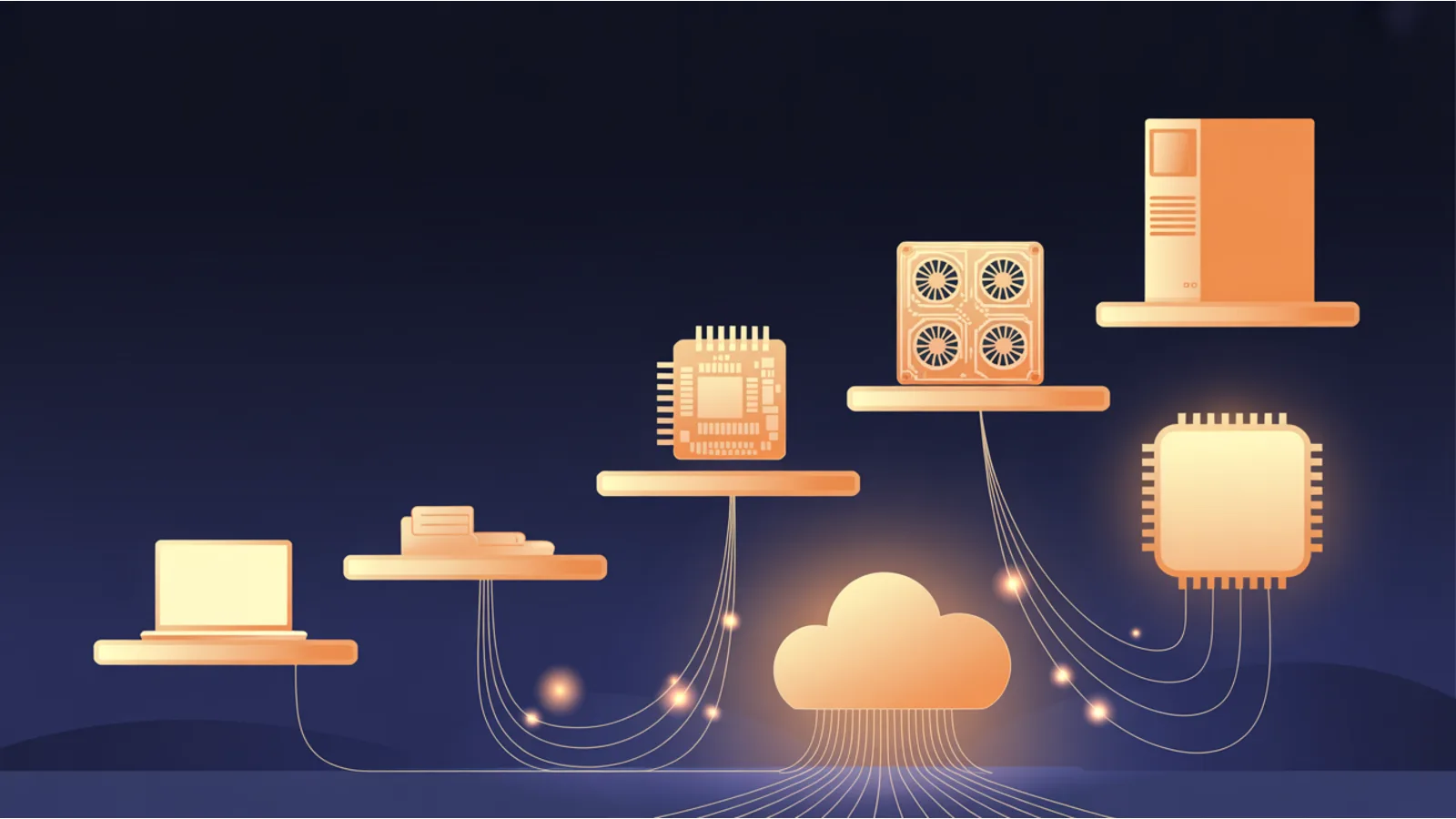
The fastest way to waste money on home AI is to buy the hardware first. The second fastest is to buy the wrong hardware because a benchmark chart impressed you. Almost everyone starting out can do real work, run models, build a RAG app, even fine-tune, without spending a dollar, and the people who eventually do buy get far more for their money once they know exactly which number was holding them back.
That number is almost always memory. Not compute, not clock speed. For running and training models at home, the binding constraint is how much fits in fast memory, which on a graphics card means VRAM and on the newer unified-memory machines means how much of the system memory the chip can reach quickly. Get that one idea straight and the whole hardware question gets simpler. Here is the honest ladder for 2026, what each rung costs, what it can actually do, and when renting beats buying.
Rung 0 and 1: spend nothing first
Before you open a shopping tab, climb the two free rungs.
Rung 0 is the machine you already own. With llama.cpp or Ollama and a quantized model, a normal laptop runs a 7B or 8B model on its CPU and system RAM. It is slower than a GPU, but it is enough to learn the whole workflow, prototype a RAG app, and decide whether you even need more. An 8B model in Q4_K_M quantization wants only about 5 to 6GB, down from roughly 16GB at full precision.
Rung 1 is free cloud GPUs. Google Colab's free tier gives you a T4 with 16GB of VRAM, capped at twelve-hour sessions with an unpublished and variable weekly allowance. Kaggle Notebooks give a documented thirty or so GPU-hours a week on a T4 or P100, also in twelve-hour sessions. Between the two you get roughly sixty free GPU-hours a week, which is plenty to fine-tune a small model with Unsloth and QLoRA. A sixty-step QLoRA demo on a free T4 finishes in under ten minutes. Do not spend money until these limits genuinely block you. Most people's first hardware purchase is months too early.
Rung 2: one used GPU, and it is almost always a 3090
When free stops being enough, the single best value in home AI hardware in 2026 is a used RTX 3090. It has 24GB of VRAM on a fast 384-bit bus, draws 350W, and sells used for roughly $700 to $900, often from the secondhand mining supply. That 24GB runs a 32B model at Q4_K_M fully in memory, squeezes a 70B at Q4 with a reduced context window, and fine-tunes comfortably with QLoRA. It is also the last consumer NVIDIA card that supports NVLink, which matters later. Nothing else on the consumer market gives you that much VRAM per dollar.
If $700 is still too much, step down rather than sideways:
- RTX 3060 12GB, about $200 to $250 used, 170W. Runs every 7B and 8B model at Q4 with room to spare and fine-tunes them with QLoRA. The cheapest real entry to local AI. One warning: more than half of marketplace listings for a "3060 12GB" are actually the 8GB version, so confirm the spec before you pay.
- RTX 4060 Ti 16GB, about $300 used or $424 new, only 160W. The 16GB ceiling fits 13B to 14B models at Q4. Its narrow 128-bit memory bus makes it slower than the raw spec suggests, which is exactly why a used 3090 is the better buy if you can stretch to it.
The lesson under all of this: buy for VRAM first and speed second. A slower card that holds your model beats a faster card that cannot.
Rung 3: flagships and the cheap 48GB rig
The flagships are about speed, not capacity. An RTX 4090 has the same 24GB as a 3090 but runs inference roughly twice as fast. It draws 450W, needs at least an 850W power supply, and in mid-2026 sells for about $1,100 to $2,300 used or $2,500 and up new, since a memory shortage has pushed prices well above the original $1,599. The RTX 5090 is the new top single card with 32GB of GDDR7 and a 575W draw that spikes near 900W for an instant under load, so it wants a 1000W or larger supply. Its list price is $1,999 but it street-sells well above that. The 32GB lets it run a 70B at Q4 with a moderate context entirely in VRAM.
Here is the move most people miss. Two used 3090s give you 48GB of combined VRAM for roughly $1,200 to $1,600, far less than a single workstation card. With an NVLink bridge the two cards talk at 112.5 GB/s instead of the 31.5 GB/s they would get over PCIe, which speeds up splitting a model across them. Be precise about what this is, though: NVLink does not merge the two cards into one 48GB pool. They stay two separate 24GB devices, and the model is split across them. That 48GB comfortably runs a 70B model at Q4 with a usable context window in the 16K to 32K range, not the model's full 128K context, which would need far more memory for the attention cache. For most home work that is a non-issue, and it is the cheapest credible way to run 70B-class models locally.
The workstation and data-center cards exist if you have the budget and the chassis. An RTX A6000 has 48GB with error correction in a single quiet 300W slot, used for several thousand dollars. A used A100 40GB is around $7,000 to $8,000 and needs server cooling, so it is rarely the right call at home. Two 3090s do the same job for a fraction of the price.
The other path: unified-memory machines
A discrete GPU is not the only way. Apple Silicon, NVIDIA's new desktop box, and AMD's latest chips share one large pool of memory between the processor and the graphics, which lets a small, quiet, power-sipping machine hold models that would need a stack of GPUs. The catch is bandwidth. These pools are slower than a discrete card's dedicated VRAM, so they are excellent for running big models for inference and noticeably weaker for the sustained throughput that training wants.
- Apple Mac Mini (M4) starts at $799 with 16GB of unified memory at 120 GB/s. An M4 Pro reaches 64GB at 273 GB/s and runs an 8B model at a comfortable 20 to 30 tokens per second while drawing 30 to 40W. It is the quietest cheap on-ramp to local AI.
- Apple Mac Studio is the capacity play. An M4 Max reaches 128GB at 546 GB/s from about $2,000, and an M3 Ultra reaches 512GB at 819 GB/s from $3,999. The Ultra can hold models up to roughly 600 billion parameters in 4-bit, something no single consumer GPU can do, and runs a 70B at Q4 around 12 to 18 tokens per second.
- NVIDIA DGX Spark packs a Grace-Blackwell chip with 128GB of coherent memory at about 273 GB/s for roughly $4,000. Its real value is local access to the full CUDA toolchain for prototyping and fine-tuning, not raw inference speed, where a cheaper AMD box matches it. It runs an 8B around 43 tokens per second but a dense 70B only around 3, while shining on mixture-of-experts models.
- AMD Ryzen AI Max+ 395 (Strix Halo), in the Framework Desktop at about $1,999 or mini-PCs from around $1,499, gives 128GB of unified memory at roughly 256 GB/s with the graphics able to claim up to 96GB of it. It is the best inference value of the group, matching the much pricier DGX Spark on tokens per second per dollar, though it ingests long prompts more slowly because it lacks data-center tensor cores.
The honest summary: if you mainly want to chat with large models privately and quietly, a unified-memory box is a great buy. If you want to fine-tune at speed, a discrete NVIDIA GPU still wins.
When renting beats buying
You do not have to own the silicon at all. Hourly GPU rental has gotten cheap and is the right answer for occasional heavy jobs. On RunPod an RTX 4090 runs about $0.34 to $0.69 an hour with per-second billing and no egress fees. On the Vast.ai marketplace a 4090 can dip to roughly $0.30 an hour and an A100 80GB sits near $0.70. For the big iron, Lambda rents an H100 from about $3.29 an hour.
The buy-versus-rent math is simple. A used 3090 at $700 pays for itself against a $0.34-an-hour rented 4090 after about 2,000 hours of use, and against a $0.69 rate after about 1,000 hours. So if you run a few hours a week, rent. If you run daily, or you care about privacy and keeping data on your own machine, buy. Many people do both: a used 3090 for daily work and a rented A100 or H100 for the rare large fine-tune. I sized exactly this kind of decision for a real workload in sizing inference for an AI job agent.
The rest of the build, briefly
Once you commit to a card, the supporting parts decide whether the rig is stable, quiet, and cheap to run.
- Power supply. Size it from your total draw plus 20 to 30 percent headroom so it runs in its efficient 50 to 80 percent band. A single 350W 3090 is happy on 750 to 850W. A 450W 4090 wants 850W and up. Two big cards push you to 1200 to 1600W. On the newer 12V-2x6 connector, seat it fully and avoid sharp bends, because uneven contact has melted cables on 500W-plus cards.
- Electricity is the cheap part. At a typical US rate near 17 to 18 cents a kilowatt-hour, a 350W card costs roughly 6 cents an hour to run and a 450W card about 7 cents. A few hours a day is a few dollars a month. People badly overestimate this.
- System RAM and storage. A rough floor is twice your VRAM in system RAM. To offload part of a 70B model to the CPU you want 32GB minimum and 64GB to be comfortable. For storage, a PCIe 4.0 NVMe drive at around 7,000 MB/s is plenty, and Gen 5 is unnecessary. Budget 1 to 2TB to start, since a 70B at Q4 is 35 to 42GB and model libraries grow fast.
- PCIe lanes are less scary than forums claim. A mainstream board can split its 16 graphics lanes into x8 and x8 to run two cards, and x8 versus x16 costs only one or two percent for inference. You do not need a Threadripper for a two-GPU rig. You only need a high-end-desktop platform if you want both cards at full x16 or you are running three or more.
- Used ex-mining cards are usually fine. A card that mined 24/7 may lose around ten percent of its performance over a year of that, but many test out perfectly. Inspect the fans, insist on a return window, and stress-test the moment it arrives so artifacts or crashes show up while you can still send it back.
What each tier can actually train
Running a model and fine-tuning one are different asks, and QLoRA, which trains small adapter weights on a 4-bit base model, is what makes home fine-tuning realistic. Unsloth's published minimums are friendlier than people expect: about 5GB of VRAM for a 7B model, 6GB for an 8B, 8.5GB for a 14B, 26GB for a 32B, and 41GB for a 70B. So a free Colab T4 fine-tunes a 7B or 8B, a single 3090 handles up to a 32B with care, and the dual-3090 or A6000 path takes on a 70B. Match the rung to the smallest model that solves your actual problem, not the biggest one you have read about. The full local-model setup that sits on top of this hardware is in running open weights at home, and a recent local coding model worth trying on a 24GB card is covered in GLM 5.2 for local coding.
The whole point of the free-first ladder is the same idea behind everything I build and the argument of The $97 Launch: spend on the smallest real thing, learn what actually limits you, and only then spend more. The person who runs free cloud GPUs for a month, then buys one used 3090, ends up with a better rig and a lighter bill than the person who built a four-GPU tower before they knew what they needed.
Related reading
- What $200k AI jobs actually ask for, the skills that run on this hardware, with the free home lab this build supports
- Running open weights at home, the local-model software setup for any rig here
- GLM 5.2 for local coding, a capable model that fits a single 24GB card
- Serving model inference, what production serving looks like beyond your desk
- Becoming an AI/ML platform engineer, the deeper infrastructure skills
- Local AI vs cloud APIs for a small business, the cost decision for the hardware here, and the start of the Practical AI Stack for Small Business series
Fact-check notes and sources
Hardware prices in 2026 are unusually volatile because of a memory shortage, and used and street prices swing by region and week, so treat every number here as an approximate mid-2026 snapshot and confirm before buying.
- GPU specs and power: RTX 3090 (24GB, 350W), RTX 4090 (24GB, 450W, 850W PSU), RTX 5090 (32GB GDDR7, 575W). NVLink/dual-3090 and 112.5 vs 31.5 GB/s: dual-3090 guide.
- Approximate mid-2026 pricing: used 3090 roughly $700 to $900 (listings); 3060 12GB and 4060 Ti 16GB (price history); 4090 and 5090 (GPU price tracker).
- Unified-memory machines: Mac Mini specs (from $799 as of May 2026, 120 GB/s, M4 Pro 273 GB/s), Mac Studio specs (M4 Max 128GB/546 GB/s, M3 Ultra 512GB/819 GB/s), NVIDIA DGX Spark (128GB, ~273 GB/s), AMD Ryzen AI Max+ 395 and the Framework Desktop (128GB, ~256 GB/s).
- Cloud rental: RunPod pricing (4090 ~$0.34 to $0.69/hr), Vast.ai, Lambda GPU cloud (H100 from ~$3.29/hr). Free tiers: Colab, Kaggle.
- Power, RAM, storage, fine-tuning: US residential electricity rate ~17 to 18 cents/kWh, EIA; QLoRA VRAM minimums, Unsloth requirements; model file sizes and NVMe guidance, local LLM storage.
This post is informational and reflects my own research and experience; it is not buying or financial advice, and I have no affiliation with any manufacturer, retailer, or cloud provider linked. Prices and availability in 2026 are volatile and change constantly; verify before you buy.
